Monthly Expense Report Spreadsheet for Sales Reps, Mileage and Meals (XLSX + ODS + CSV)
 By Educo
Price in USD. Local taxes calculated at checkout.
Buy 3 or more, save 20% from this shop
- 1 ZIP download · XLSX, ODS, TTF, CSV, TXT, ZIP formats · 2 tabs; XLSX + ODS + CSV
- Buyer protection. Corrupt or mismatched files? Full refund.
Item details
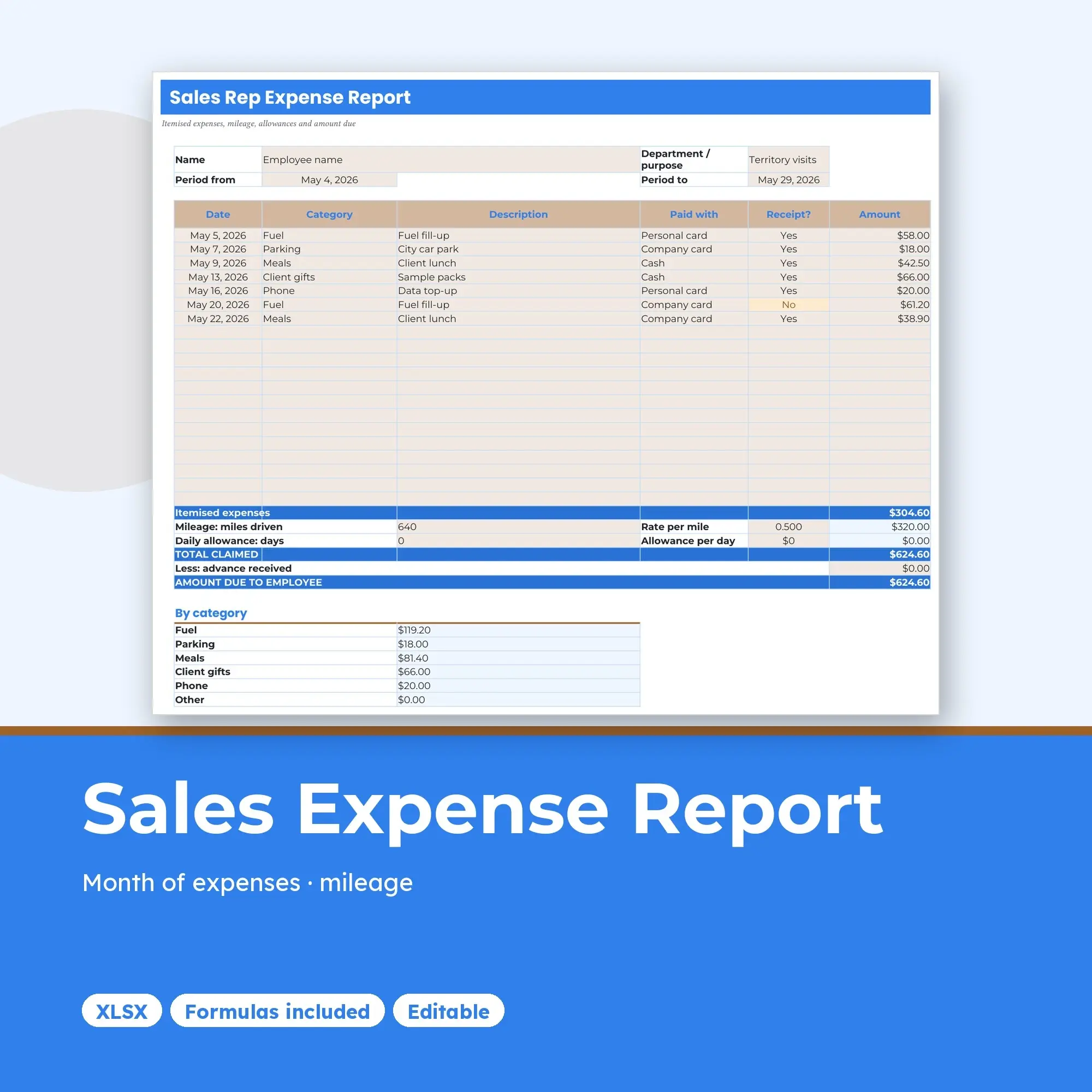
A monthly expense report for people who drive to clients: fuel, parking, meals and a mileage line.
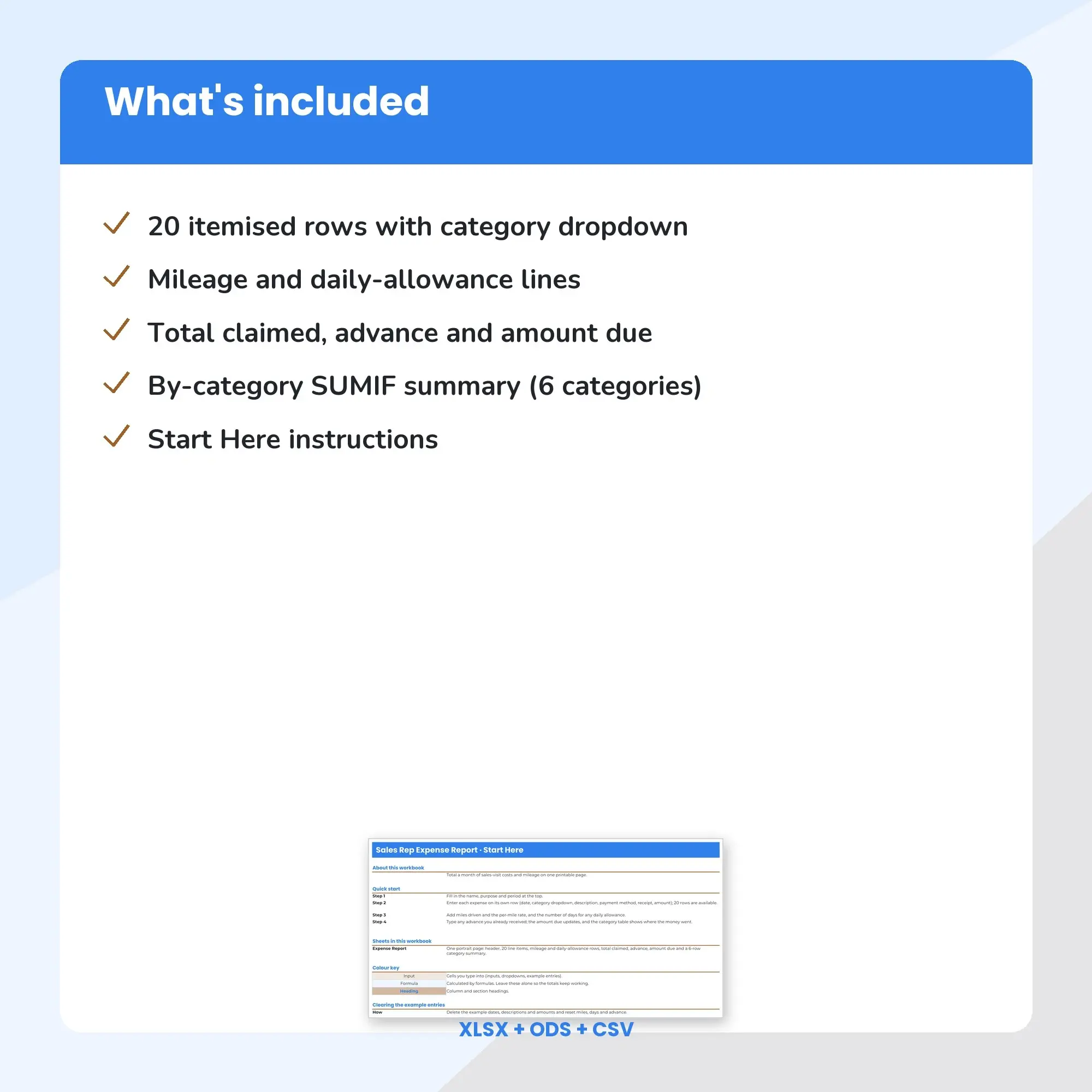
A category block uses SUMIF to total each category. The 'Expense Report' sheet has 20 itemised rows (Date, Category, Description, Paid with, Receipt?, Amount) with dropdowns for the 6 categories (Fuel, Parking, Meals, Client gifts…), payment method and receipt Yes/No. Separate lines multiply miles by a per-mile rate and days by a daily allowance; totals, a deducted advance and the amount due follow.
Rows marked No receipt highlight amber.
Included working areas: Expense Report: One portrait page: header, 20 line items, mileage and daily-allowance rows, total claimed, advance, amount due and a 6-row category summary..
Employee, purposes, rates and expenses are invented placeholders.
A single ZIP contains XLSX and ODS workbooks plus a CSV tab-and-purpose reference, Poppins, Nunito OFL font files and licences, and README.txt. The Start Here tab explains inputs, calculations and how to clear the worked entries.
The workbook contains 11 formulas. Its sky blue design uses coloured input cells and separate calculation cells. Install the bundled fonts before editing to match the previews.
Works with spreadsheet software supporting XLSX + ODS + CSV files. Digital download; no macros or external data connections.
Live charts are in the XLSX version. The ODS copy retains the input cells, working formulas and numerical summaries without embedded chart objects.
File specs
| Formats | XLSX, ODS, TTF, CSV, TXT, ZIP |
|---|---|
| Dimensions | 2 tabs; XLSX + ODS + CSV |
| Color space | sRGB |
| Downloadable files | 1 ZIP download · XLSX, ODS, TTF, CSV, TXT, ZIP formats |
| Category | Templates |
| Last updated |
What you’ll download
- zipmonthly-expense-report-spreadsheet-for-sales-reps-mileage-an.zip103 KB
Usage
Educo states how these files may be used in the listing description. Check it before you buy, and message the shop if you’re unsure.
Reselling, sharing or redistributing the original files as they are isn’t allowed, including in free packs or AI training sets.