Quarterly Planning Weekly Action Planner PDF - Raspberry
 By Educo
Price in USD. Local taxes calculated at checkout.
Buy 3 or more, save 20% from this shop
- 1 ZIP download · PDF, ZIP formats · US Letter + A4 + Tablet
- Buyer protection. Corrupt or mismatched files? Full refund.
Item details
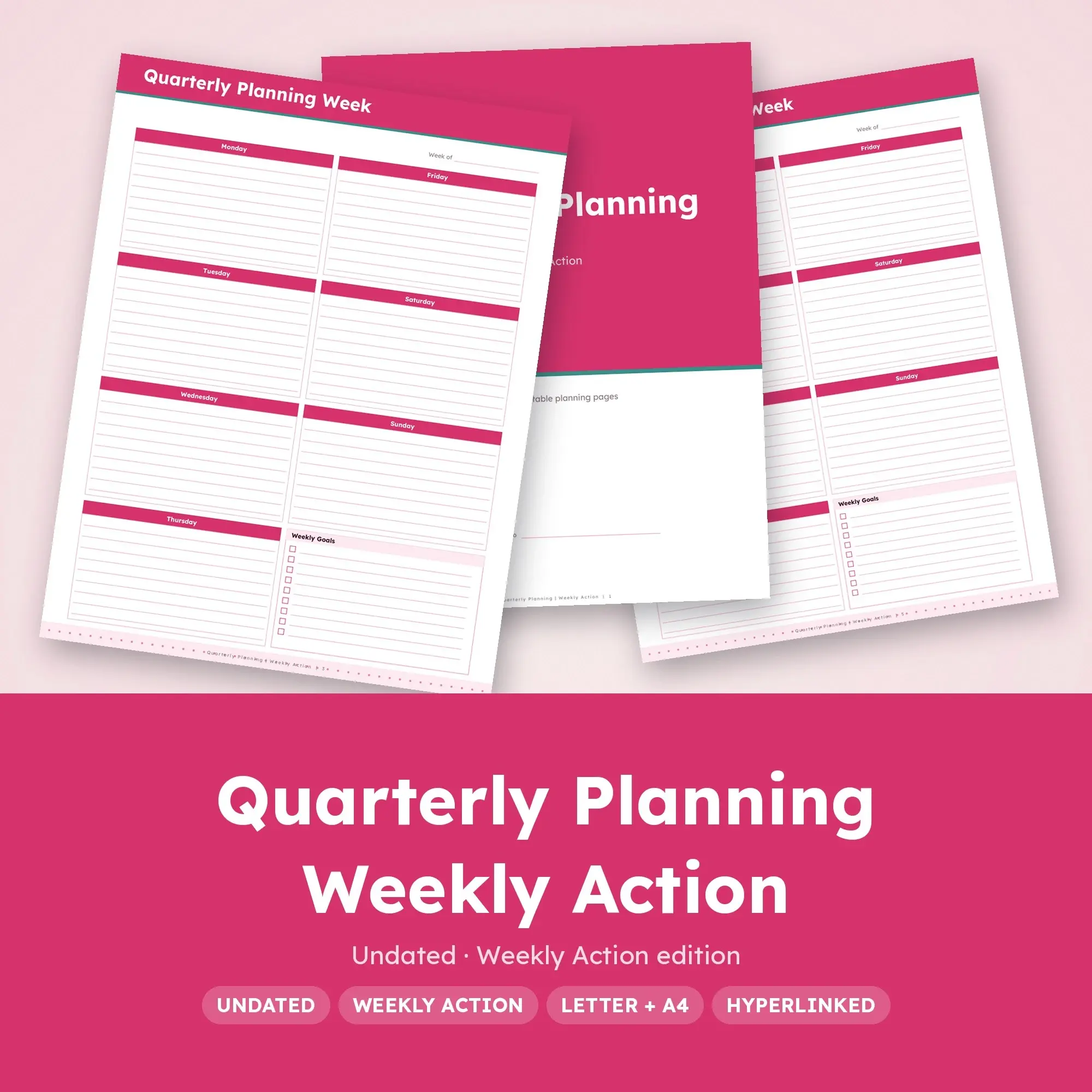
Give quarterly planning a place in the next six weeks. This Weekly Action edition pairs Monday-first split-page schedules with a priority sheet covering quarter priorities, milestone dates and weekly commitments. Write your own week-of dates and leave unused weeks for later.
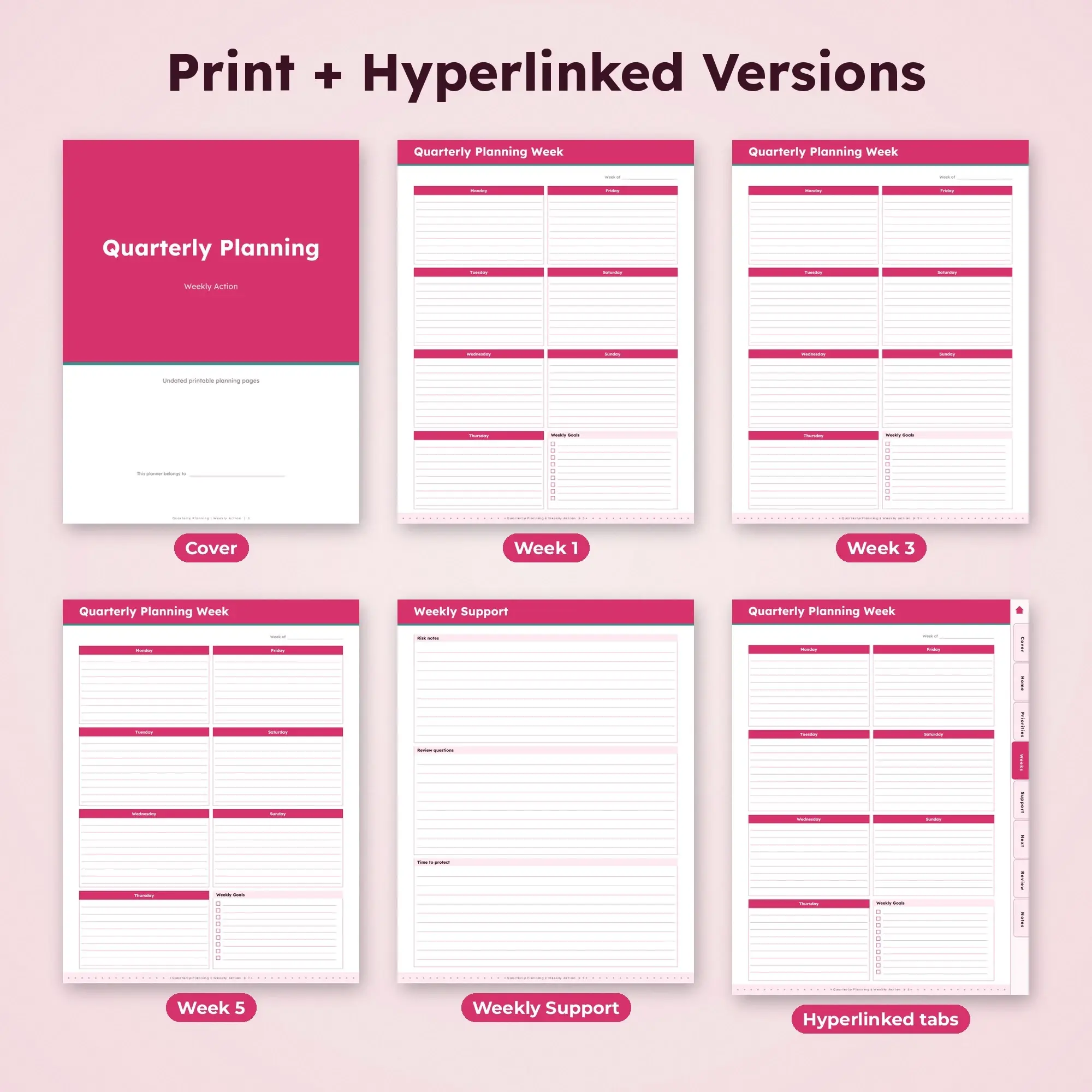
What's inside: - 1 cover page - Weekly Priorities with three subject panels - Six undated Monday-Sunday split-page schedules - Weekly Support worksheet with three writing areas - Weekly Preparation checklist with two reminders and eight blank lines - Carry Forward table: 12 rows - End-of-Week Check with two reflection prompts - 1 lined subject notes page - Tablet edition adds a clickable contents page, section tabs and a home button
Use the seven labeled day boxes to reserve time instead of making an unbounded task list. Weekly Support keeps risk notes and review questions nearby. The carry-forward table transfers unfinished milestone work into a named next action; the final check asks "Which priority earned enough time?" and "What needs a different approach next quarter?"
One ZIP download (Quarterly-Planning-Weekly-Action.zip) holds 3 PDF files: Quarterly-Planning-Weekly-Action-US-Letter.pdf; Quarterly-Planning-Weekly-Action-A4.pdf; Quarterly-Planning-Weekly-Action-Hyperlinked-Tablet.pdf. Print versions come in US Letter (8.5 x 11 in), A4 (8.27 x 11.69 in), portrait orientation, 13 pages each. The hyperlinked digital PDF (14 pages, tablet-sized portrait) has tappable tabs down the side and a home button on every page, so you can jump between sections in a PDF annotation app on your tablet. Use the tablet PDF in a PDF annotation application, or choose a print version for paper.
A suggested starting routine: choose a few realistic priorities, then place the fixed deadlines first. When reviewing this quarterly planning edition, ask "Which priority earned enough time?" followed by "What needs a different approach next quarter?" Record the answer in the notes page if you need more space.
Every page is a crisp vector PDF, so lines stay sharp at any print size. A standard home or office inkjet or laser printer is all you need; pages use light color so ink use stays low. Instant digital download. Nothing is mailed to you.
Works with Any PDF reader, PDF annotation apps.
File specs
| Formats | PDF, ZIP |
|---|---|
| Dimensions | US Letter + A4 + Tablet |
| Color space | sRGB |
| Downloadable files | 1 ZIP download · PDF, ZIP formats |
| Category | Planners & Printables |
| Last updated |
What you’ll download
- zipQuarterly-Planning-Weekly-Action.zip141 KB
License and usage
- Personal · $5.99
- Use the files in your own non-commercial projects: home prints, gifts, personal social posts and school work. Anything made with them can’t be sold.
- Commercial · $12.98
- Use the files in client work and in products you sell, up to 5,000 units across all products. Credit is appreciated but not required.
No license allows reselling, sharing or redistributing the original files as they are, including in free packs or AI training sets.