Student Spending Reflection Journal Planner PDF - Sage
 By Educo
Price in USD. Local taxes calculated at checkout.
Buy 3 or more, save 20% from this shop
- 1 ZIP download · PDF, ZIP formats · US Letter + A4 + A5 + Tablet
- Buyer protection. Corrupt or mismatched files? Full refund.
Item details
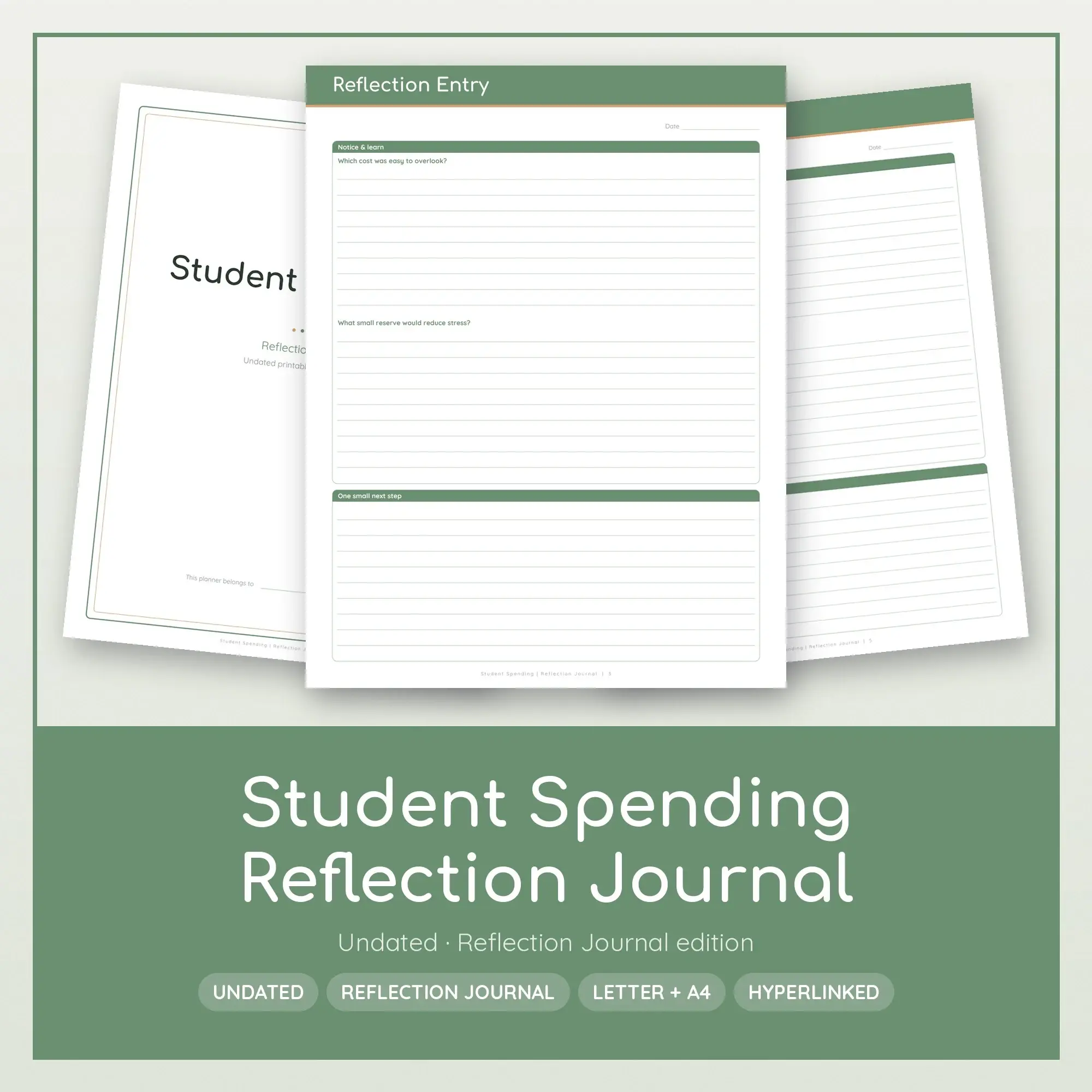
Reflect on student spending in a quiet, structured way. Twelve dated-by-you entries rotate through three pairs of questions: your subject review, changes in course costs and living expenses, and lessons from shared purchases and emergency reserve.
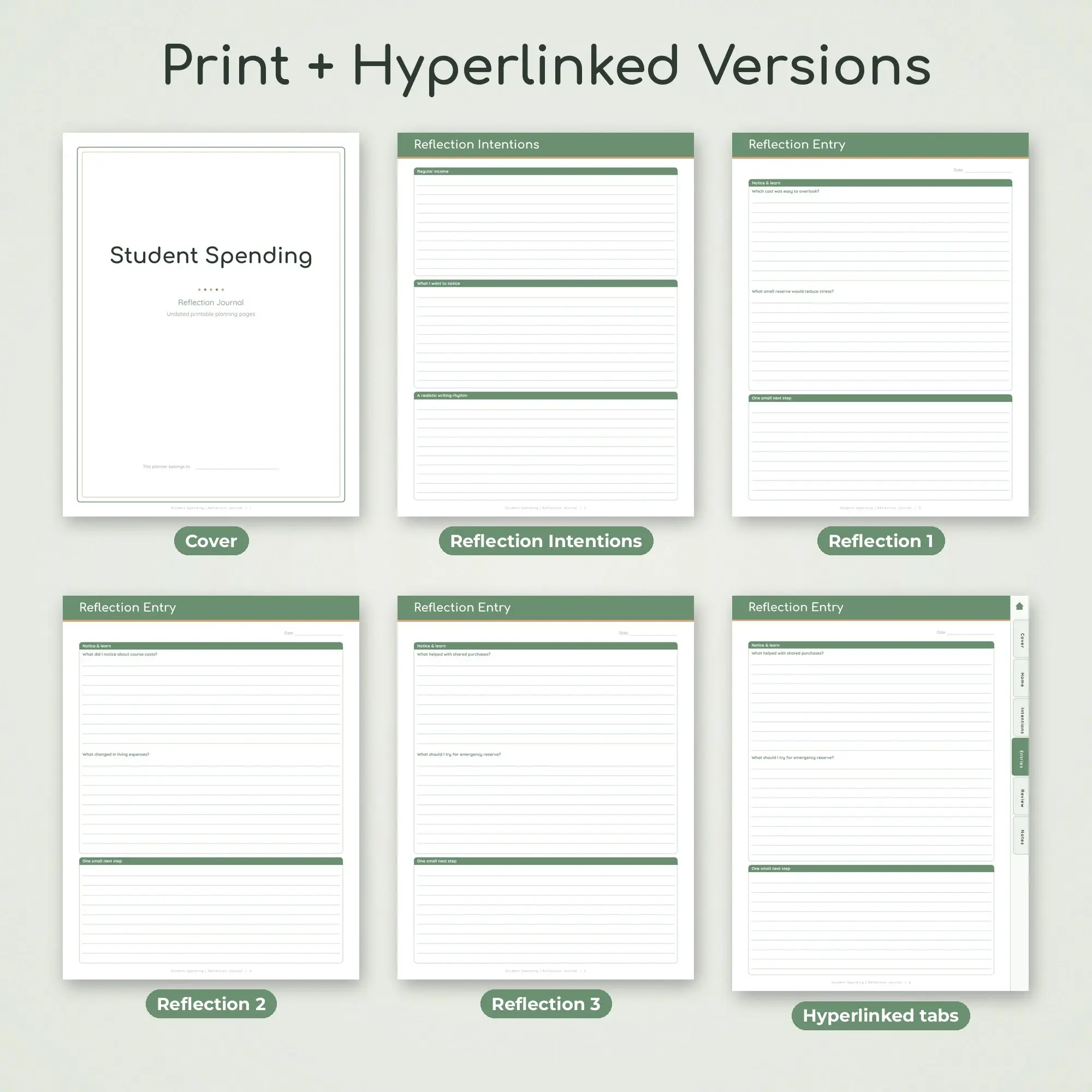
What's inside: - 1 cover page - Reflection Intentions worksheet with three writing areas - Twelve Reflection Entry sheets with two prompts, writing lines, date field and next-step box - Three different pairs of prompts repeated four times each - Themes Across Entries review with three panels - 1 lined subject notes page - Tablet edition adds a clickable contents page, section tabs and a home button
The first entry asks "Which cost was easy to overlook?" and "What small reserve would reduce stress?" Each sheet finishes with a small next step so an observation can become an action. Reflection Intentions defines your writing rhythm; Themes Across Entries gathers recurring ideas once several entries are complete.
One ZIP download (Student-Spending-Reflection-Journal.zip) holds 4 PDF files: Student-Spending-Reflection-Journal-US-Letter.pdf; Student-Spending-Reflection-Journal-A4.pdf; Student-Spending-Reflection-Journal-A5.pdf; Student-Spending-Reflection-Journal-Hyperlinked-Tablet.pdf. Print versions come in US Letter (8.5 x 11 in), A4 (8.27 x 11.69 in), A5 (5.83 x 8.27 in), portrait orientation, 16 pages each. The hyperlinked digital PDF (17 pages, tablet-sized portrait) has tappable tabs down the side and a home button on every page, so you can jump between sections in a PDF annotation app on your tablet. Use the tablet PDF in a PDF annotation application, or choose a print version for paper.
A suggested starting routine: list required course purchases, then check recurring living costs. When reviewing this student spending edition, ask "Which cost was easy to overlook?" followed by "What small reserve would reduce stress?" Record the answer in the notes page if you need more space.
Files are standard PDFs that open in any reader and print at 100 percent scale. Print at 100% (actual size) on plain paper, cardstock, or double-sided for a binder. Digital files only. Print as many copies as you need.
Works with Any PDF reader, PDF annotation apps.
File specs
| Formats | PDF, ZIP |
|---|---|
| Dimensions | US Letter + A4 + A5 + Tablet |
| Color space | sRGB |
| Downloadable files | 1 ZIP download · PDF, ZIP formats |
| Category | Planners & Printables |
| Last updated |
What you’ll download
- zipStudent-Spending-Reflection-Journal.zip178 KB
License and usage
- Personal · $4.99
- Use the files in your own non-commercial projects: home prints, gifts, personal social posts and school work. Anything made with them can’t be sold.
- Commercial · $10.98
- Use the files in client work and in products you sell, up to 5,000 units across all products. Credit is appreciated but not required.
No license allows reselling, sharing or redistributing the original files as they are, including in free packs or AI training sets.