Thanksgiving Planner Database – 194 Rows in 5 Linked Tables, CSV and JSON for Notion and Airtable
 By Educo
Price in USD. Local taxes calculated at checkout.
Buy 3 or more, save 20% from this shop
- 1 ZIP download · CSV, JSON, TXT, ZIP formats · 5 tables, 5 CSV + 1 JSON
- Buyer protection. Corrupt or mismatched files? Full refund.
Item details
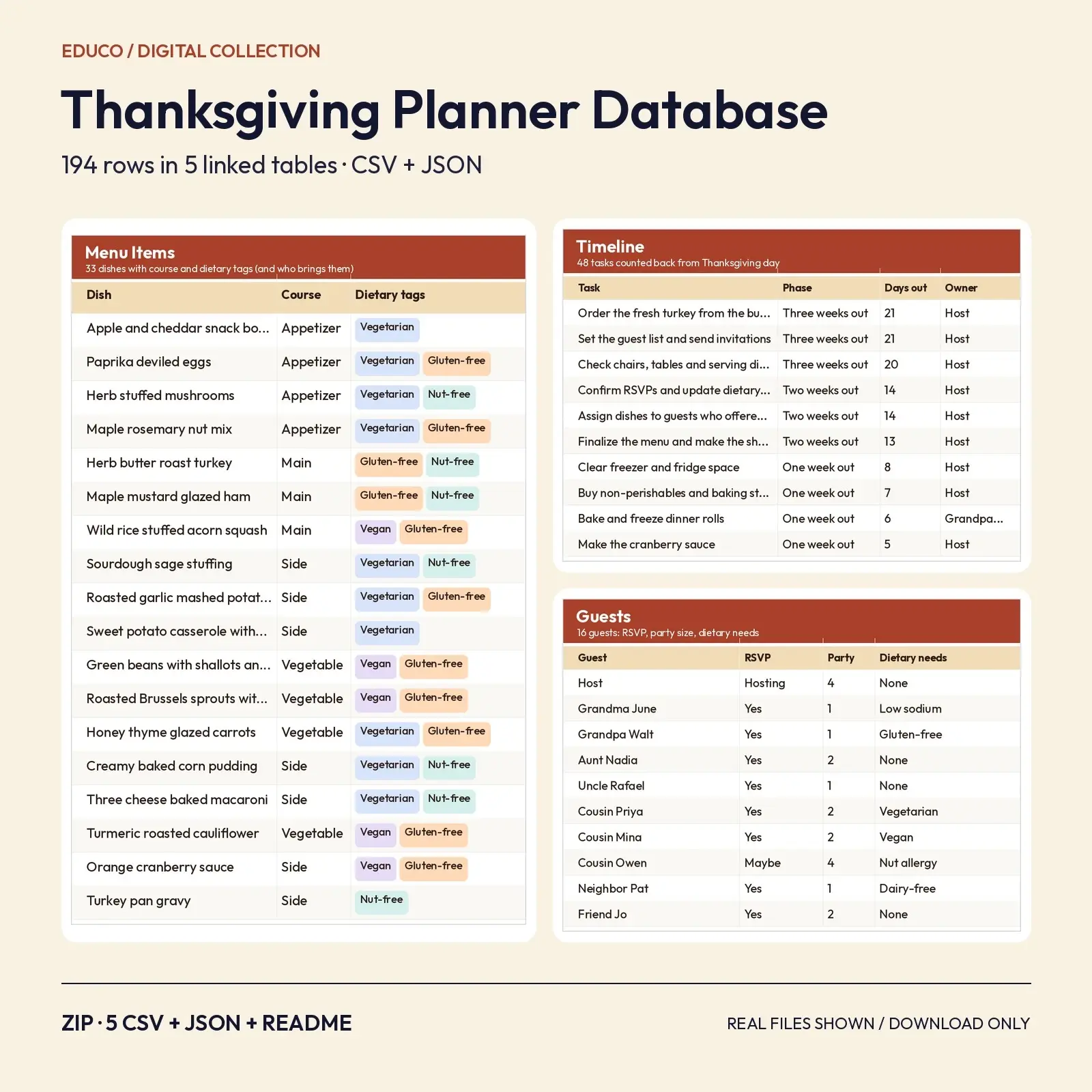
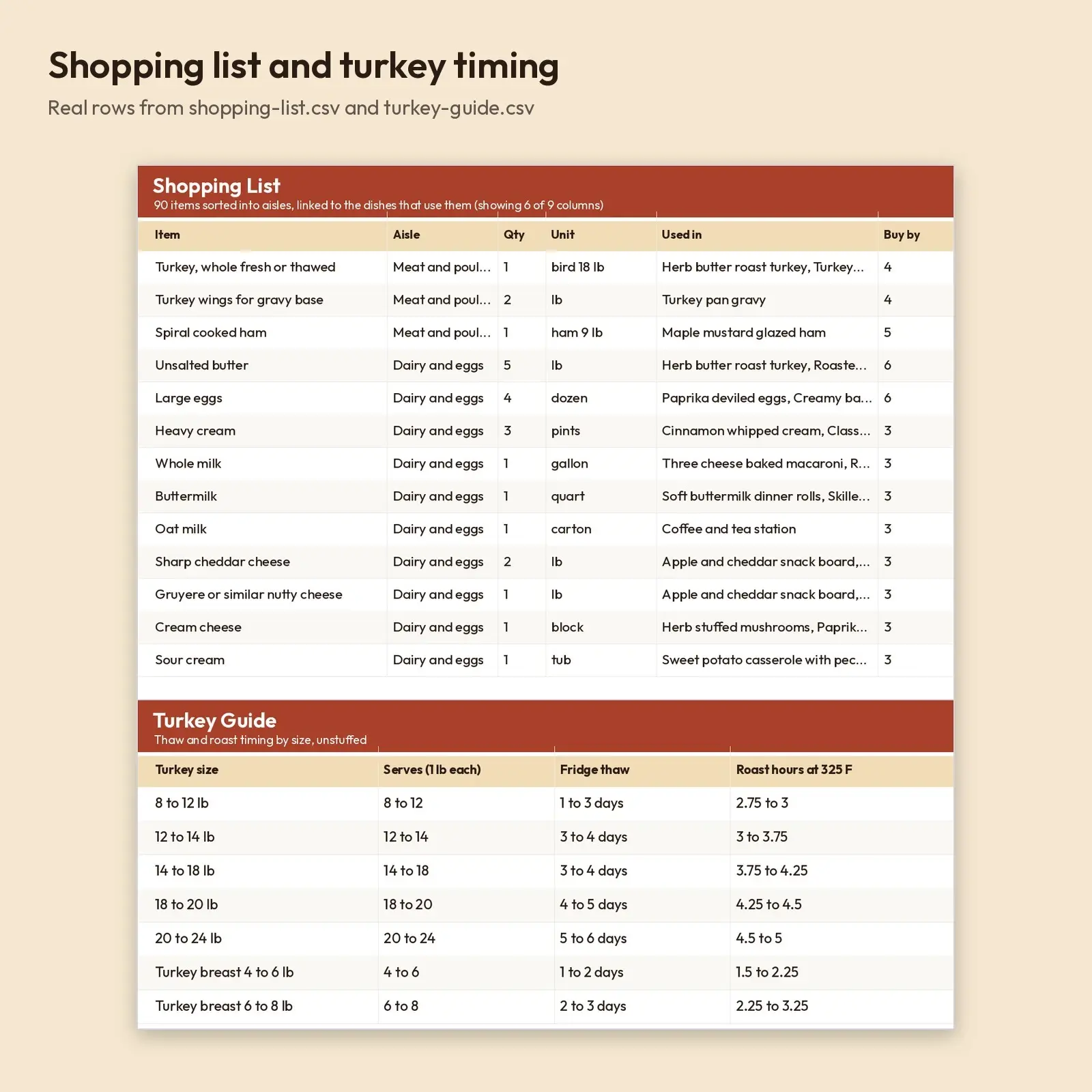
A complete Thanksgiving planning database you can drop into Notion, Airtable, Coda or a spreadsheet. It ships with five related tables already filled with realistic sample data: 16 guests, a 33-dish menu with dietary tags and who brings what, a 90-item shopping list sorted by aisle, a 48-task timeline that counts back from Thanksgiving day, and a turkey thaw and roast guide.
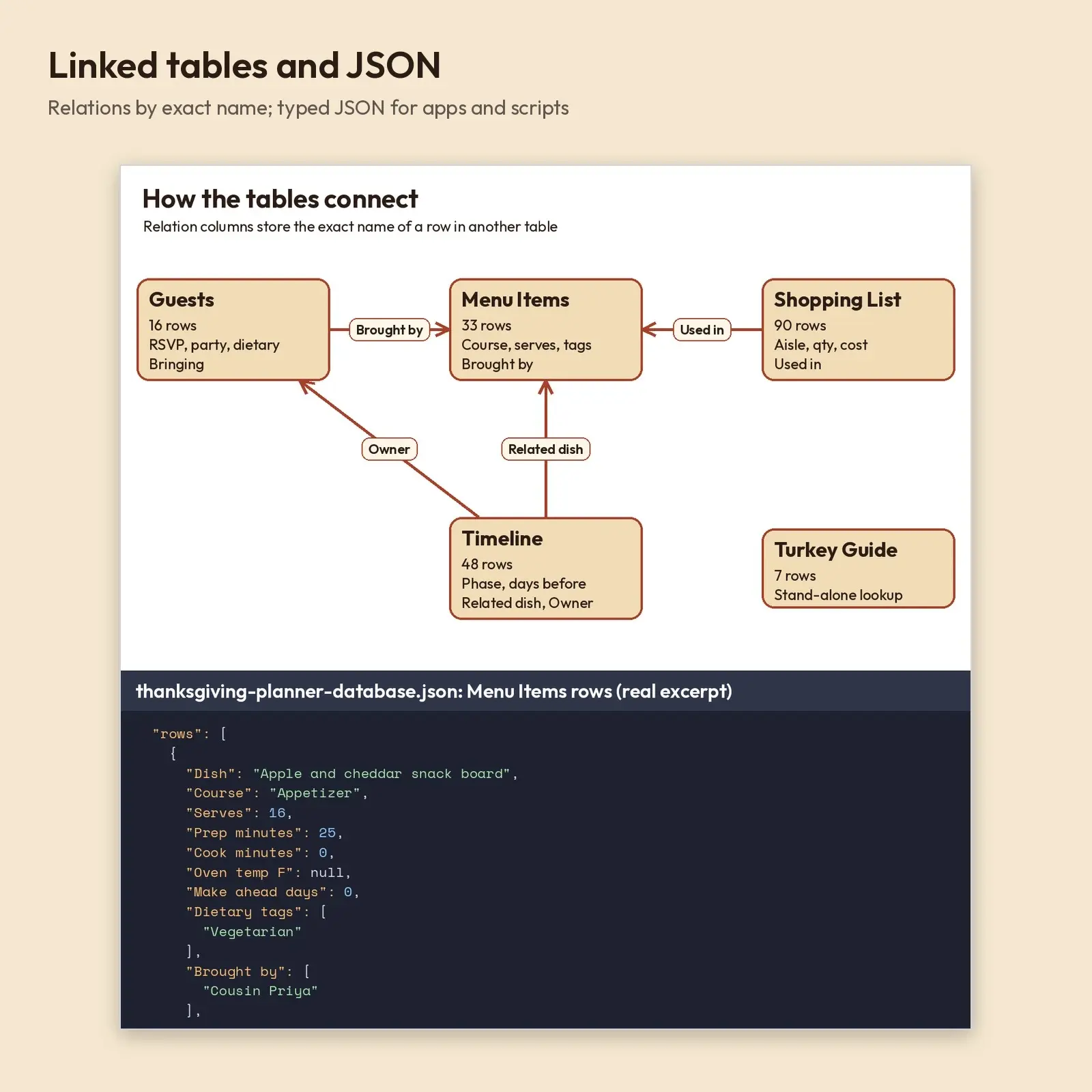
The tables are linked by name. Each dish lists the guest who brings it, each shopping item lists the dishes that use it and each timeline task lists the dish and the person responsible, so you can change one table and filter the others.
Use it for: - Plan a family dinner for 20 to 25 people from three weeks out to the day after - Track RSVPs, allergies and who is bringing which dish in one place - Turn the sample rows into your own plan, or reuse the structure for Friendsgiving or any holiday meal
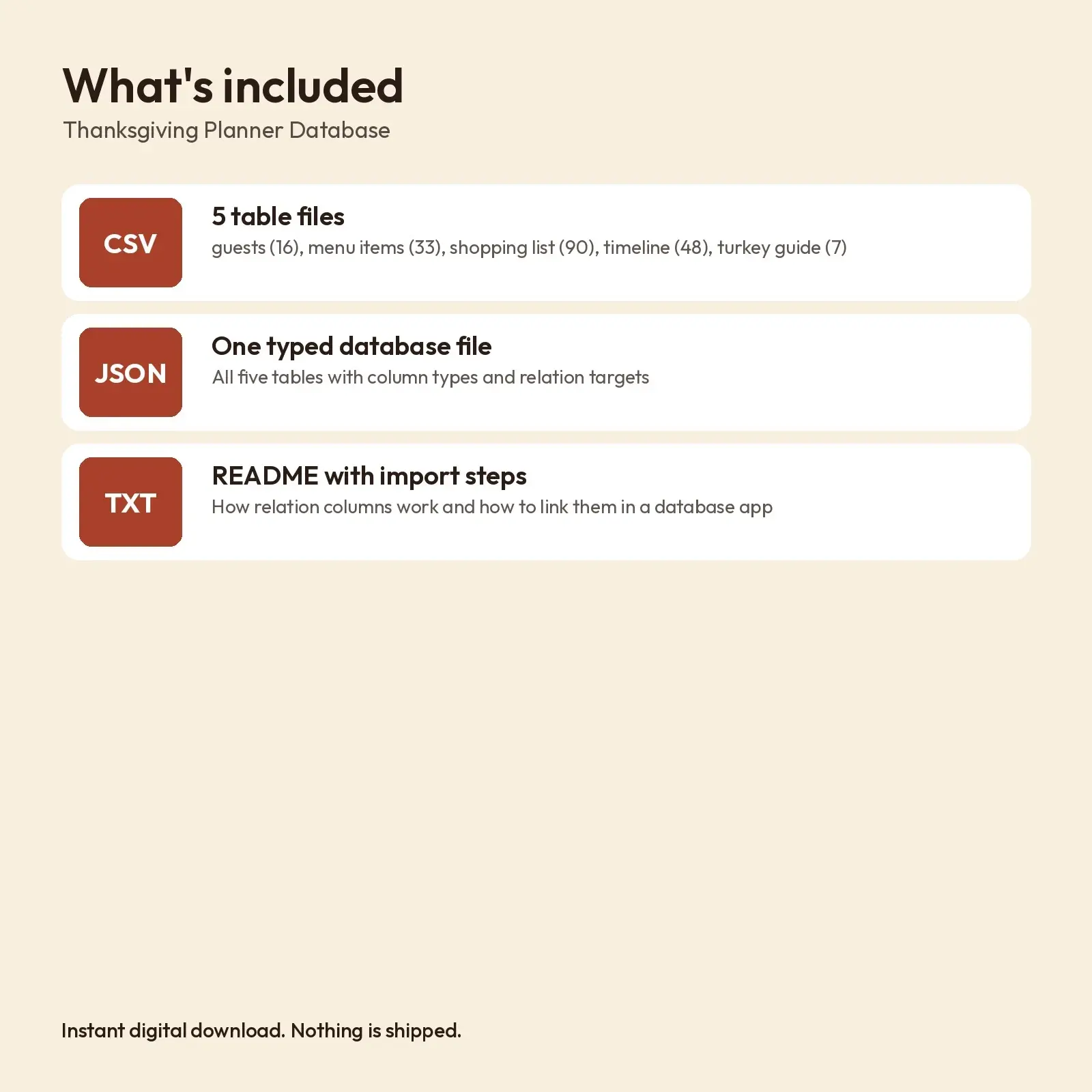
What's included: - 1 ZIP containing 5 CSV tables (guests 16 rows, menu items 33, shopping list 90, timeline 48, turkey guide 7) - 1 JSON file with all five tables, typed columns and relation targets - 1 README.txt with import steps and column notes
Opens in: - CSV (comma-separated, UTF-8) imports into Excel, Google Sheets, Numbers, LibreOffice, Airtable, Notion and most databases. - JSON (UTF-8) loads in any programming language, no-code tool or app that reads structured data. - TXT (UTF-8 plain text) opens in any text editor, word processor or notes app.
How the links work: relation columns contain the exact text of the row they point to, with several values separated by a comma inside a quoted cell. After importing each CSV, switch those columns to your app's relation or linked-record type and choose the target table. In a spreadsheet they simply work as lookup keys. Honest notes: all people, households and prices are invented sample data and costs are rough US dollar estimates. The turkey guide follows common food-safety timing charts for an unstuffed bird at 325 F; always confirm 165 F with a thermometer. No app-specific files are included, only plain CSV and JSON.
Instant download, nothing shipped. Every illustration, layout and word in these files is original Educo work. Personal and commercial use (including products you sell) is allowed; reselling or sharing the files themselves is not.
Works with Notion, Airtable, Excel, Google Sheets, LibreOffice.
File specs
| Formats | CSV, JSON, TXT, ZIP |
|---|---|
| Dimensions | 5 tables, 5 CSV + 1 JSON |
| Color space | sRGB |
| Downloadable files | 1 ZIP download · CSV, JSON, TXT, ZIP formats |
| Category | Templates |
| Last updated |
What you’ll download
- zipthanksgiving-planner-database.zip23 KB
Usage
Educo states how these files may be used in the listing description. Check it before you buy, and message the shop if you’re unsure.
Reselling, sharing or redistributing the original files as they are isn’t allowed, including in free packs or AI training sets.