Fall Market Sales Tracker Spreadsheet for Craft Fairs and Farmers Markets – Sales, Fees and Profit by Event
 By Educo
Price in USD. Local taxes calculated at checkout.
Buy 3 or more, save 20% from this shop
- 3 downloadable files · XLSX, ODS, CSV formats · US Letter landscape, 4 tabs
- Buyer protection. Corrupt or mismatched files? Full refund.
Item details
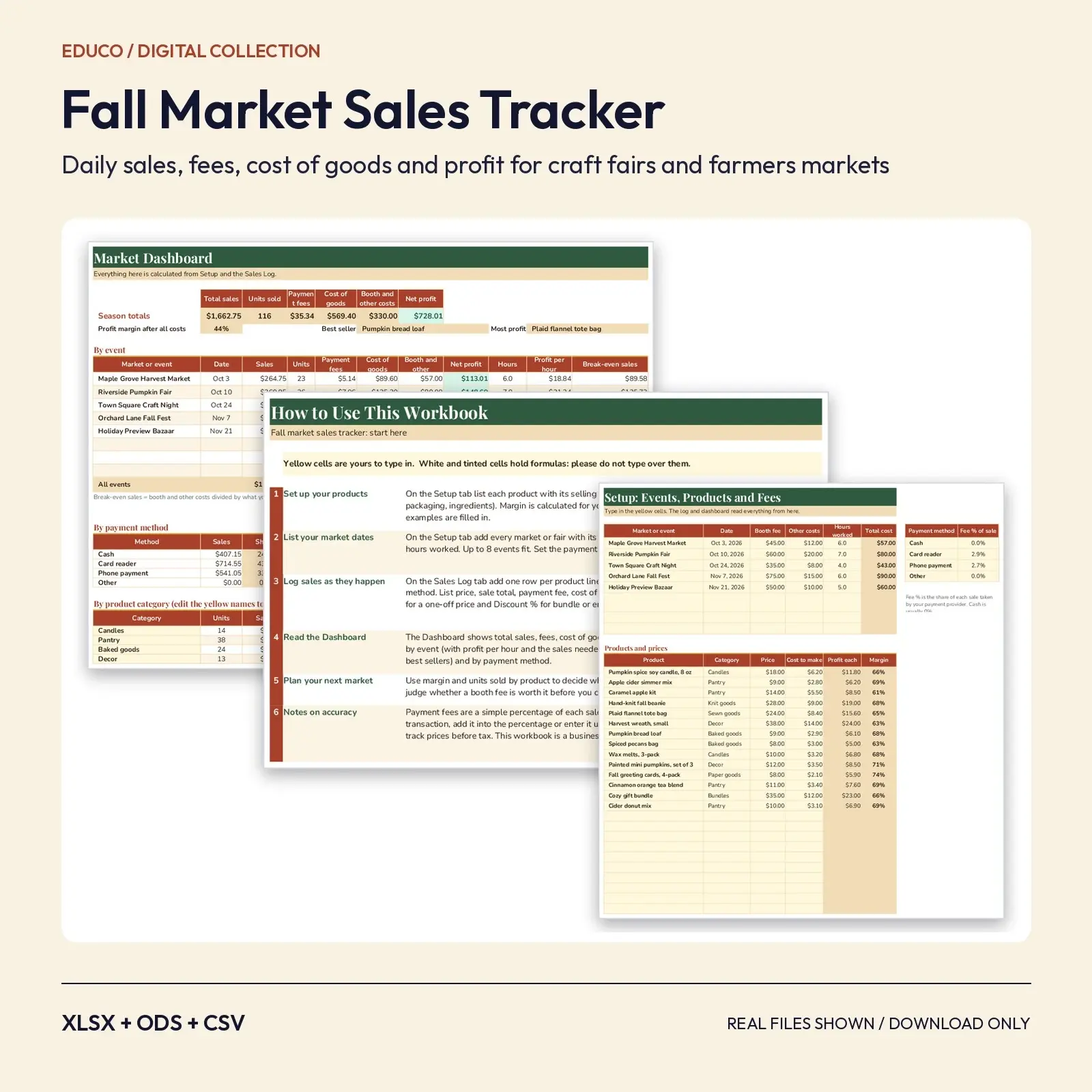
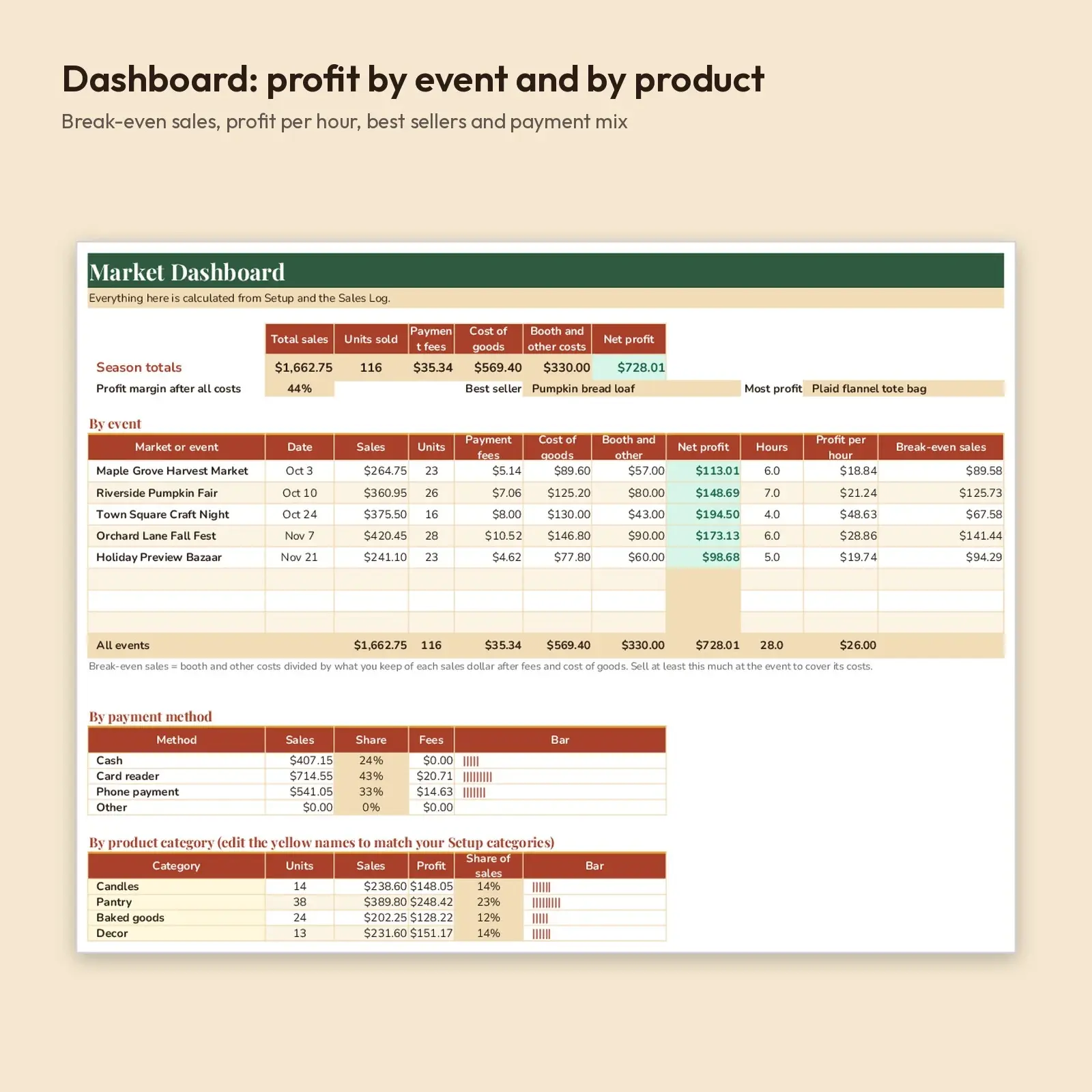
A sales and profit tracker built for sellers who work seasonal markets: candles, baked goods, knits, wreaths, pantry goods and handmade gifts. List your products with price and cost to make, add your market dates with booth fees and hours, then log each sale. The Dashboard works out sales, payment fees, cost of goods and net profit for every event, profit per hour worked, the sales you needed to break even, a ranked product table with margin and bars, and a payment-method and category breakdown.
Perfect when you need to: - Decide which fall markets and booth fees are actually worth your time - See best sellers and real margins so you can reorder or make more of what earns - Keep clean sales records per event for your own bookkeeping
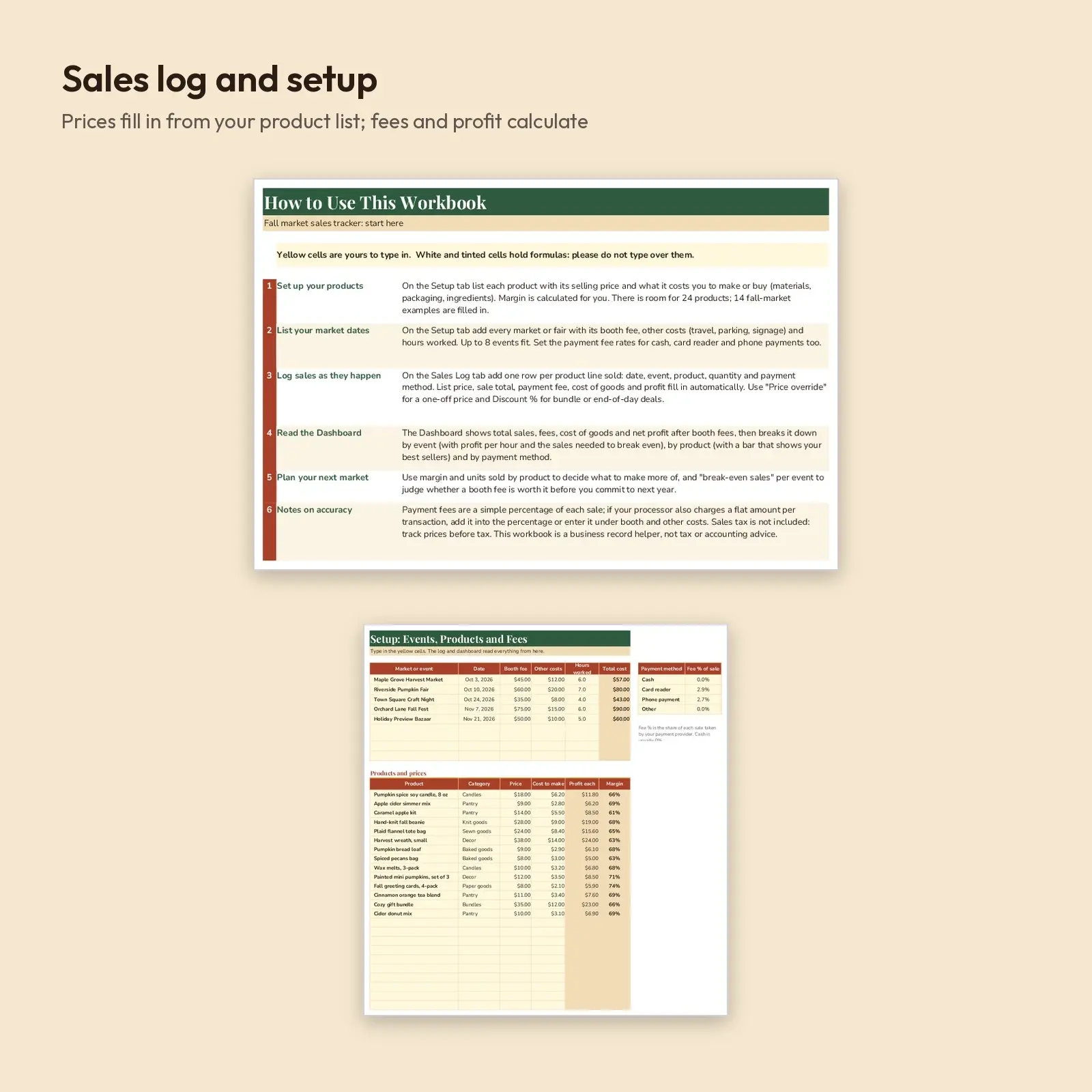
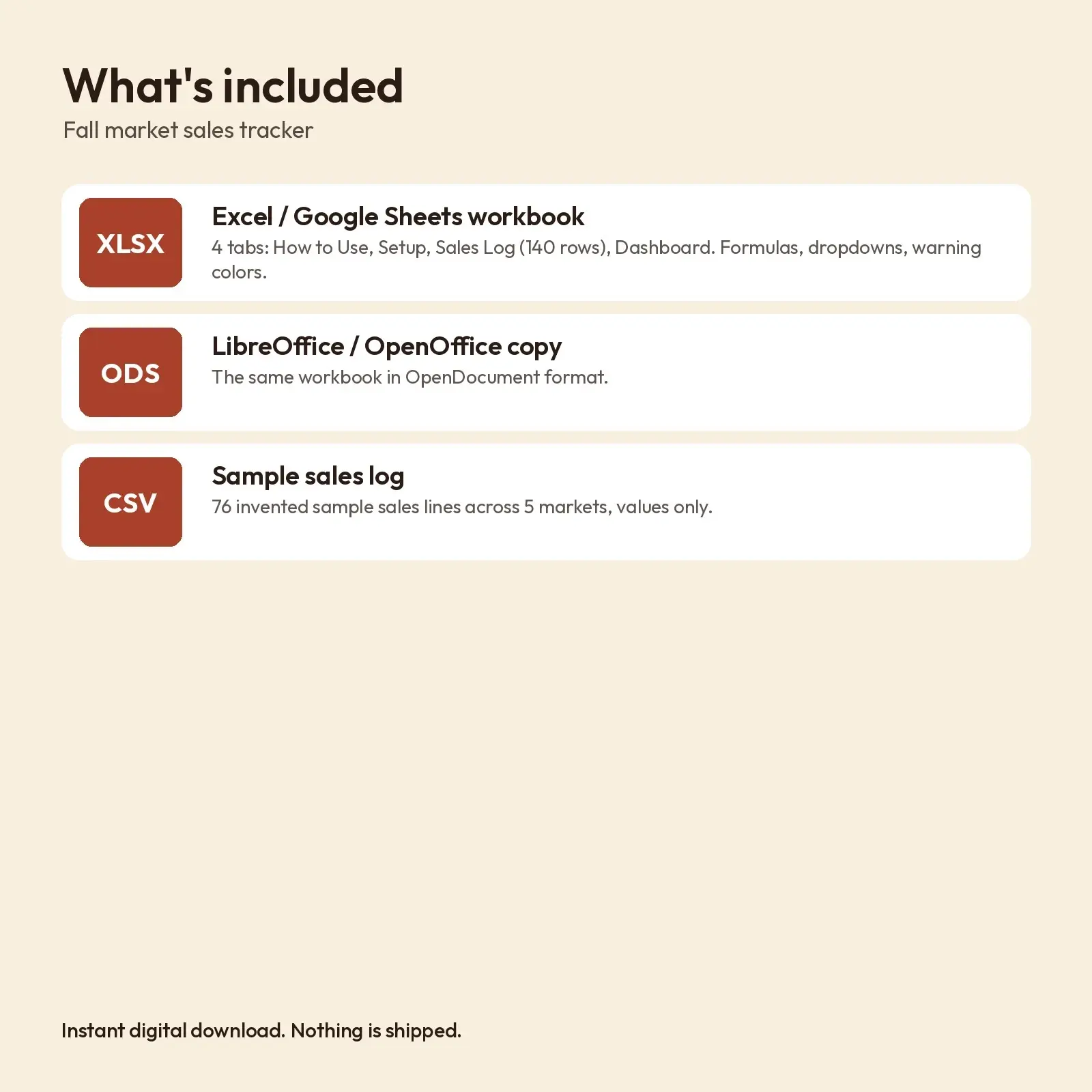
What's included: - 1 XLSX workbook with 4 tabs: How to Use, Setup (8 events, 24 products, payment fee rates), Sales Log (140 rows), Dashboard; formulas, dropdowns and conditional formatting - 1 ODS copy for LibreOffice and OpenOffice - 1 CSV of the sample sales log (76 invented sales lines, values only)
Opens in: - XLSX opens in Microsoft Excel (2016, 2019, 2021, Microsoft 365), Google Sheets (upload and open), LibreOffice Calc and Apple Numbers; formulas recalculate as you type. - ODS opens in LibreOffice Calc, Apache OpenOffice, Google Sheets, Microsoft Excel and Apple Numbers; formulas recalculate as you type. - CSV (comma-separated, UTF-8) imports into Excel, Google Sheets, Numbers, LibreOffice, Airtable, Notion and most databases.
About the fonts: Playfair Display, Nunito give the design its look and are free from Google Fonts under the SIL Open Font License, including commercial use. Missing fonts fall back to Georgia or Arial-style system fonts.
How to use: fill in Setup once, add a row to the Sales Log for every product line sold, and read the Dashboard. The CSV contains values only.
How the numbers work: sale total = quantity x price x (1 - discount), payment fee = sale total x the fee percentage for that payment method, cost of goods = quantity x cost to make, and net profit = sales - fees - cost of goods - booth fee and other event costs. Everything is plain formulas (SUMIF, SUMPRODUCT, INDEX/MATCH), with no macros. The market names, products, prices and sales shown are invented examples. Replace them with your own. This is a record-keeping tool, not tax or accounting advice; sales tax is not calculated.
Instant download, nothing shipped. Every illustration, layout and word in these files is original Educo work. Personal and commercial use (including products you sell) is allowed; reselling or sharing the files themselves is not.
Works with Excel, Google Sheets, LibreOffice, Numbers.
File specs
| Formats | XLSX, ODS, CSV |
|---|---|
| Dimensions | US Letter landscape, 4 tabs |
| Color space | sRGB |
| Downloadable files | 3 downloadable files · XLSX, ODS, CSV formats |
| Category | Templates |
| Last updated |
What you’ll download
- csvfall-market-sales-log-sample.csv7.1 KB
- xlsxfall-market-sales-tracker.xlsx39 KB
- odsfall-market-sales-tracker.ods36 KB
Usage
Educo states how these files may be used in the listing description. Check it before you buy, and message the shop if you’re unsure.
Reselling, sharing or redistributing the original files as they are isn’t allowed, including in free packs or AI training sets.