Fall and Holiday Spending Planner – October to December Budget, Gift List and Expense Tracker
 By Educo
Price in USD. Local taxes calculated at checkout.
Buy 3 or more, save 20% from this shop
- 2 downloadable files · XLSX, ODS formats · US Letter portrait, 4 tabs
- Buyer protection. Corrupt or mismatched files? Full refund.
Item details
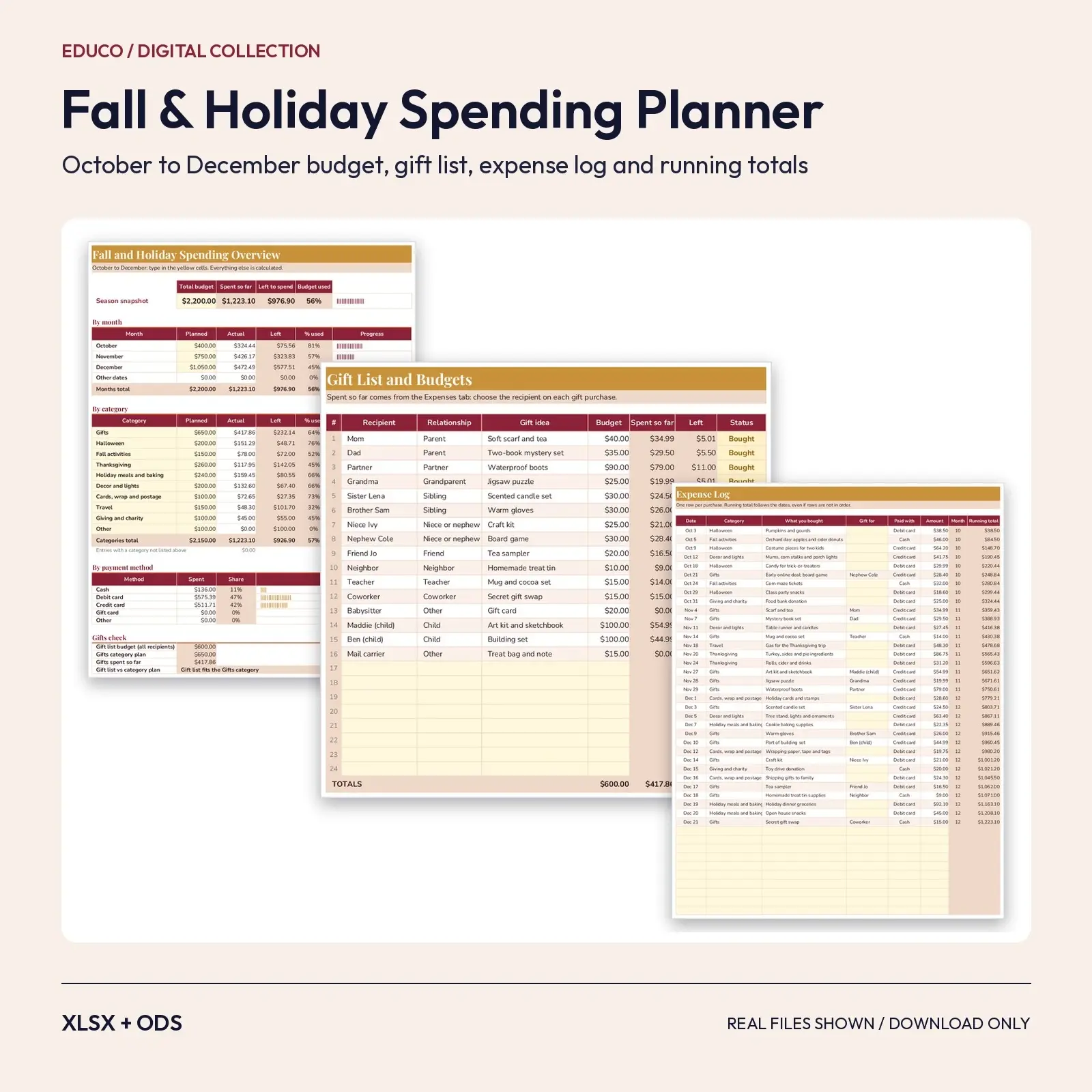
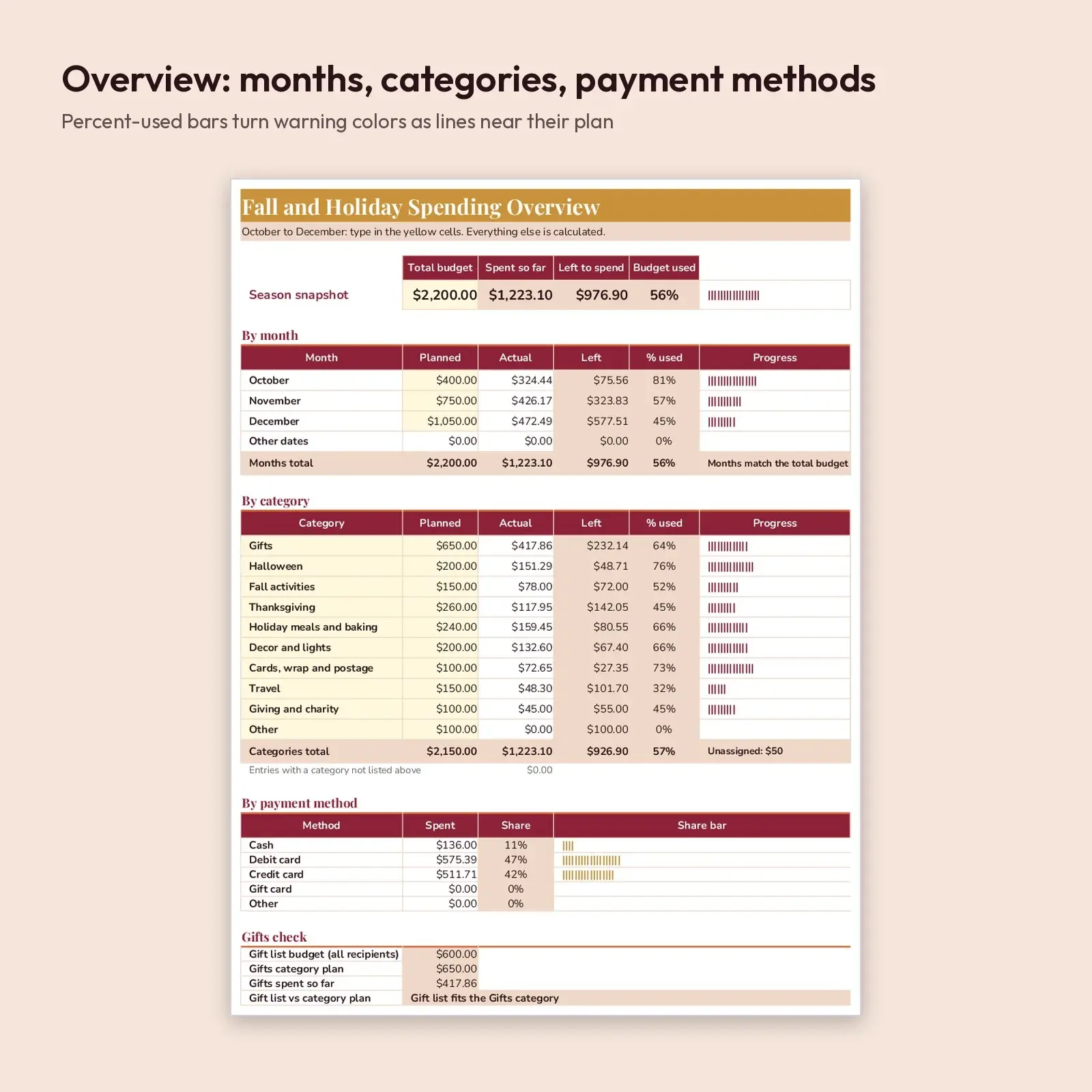
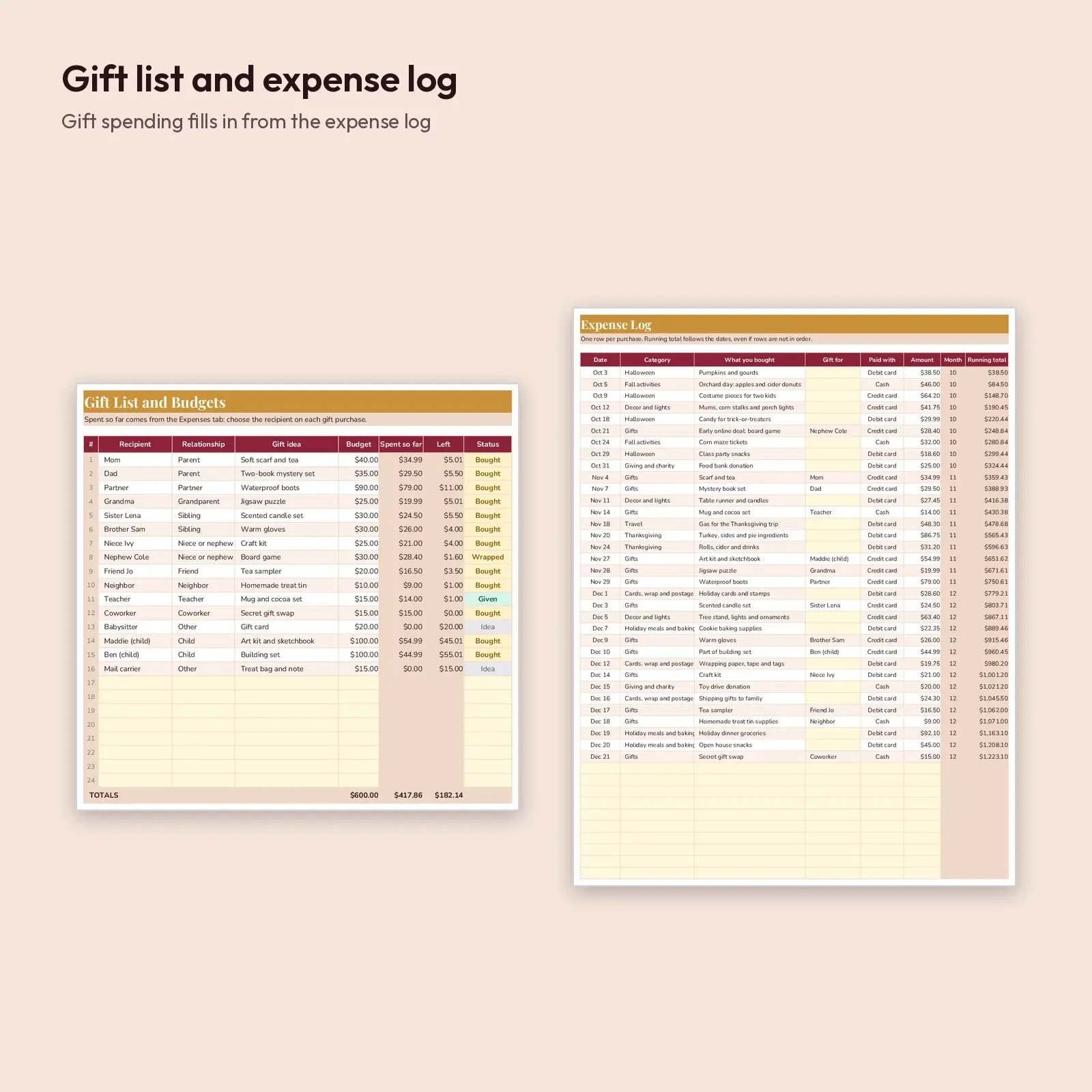
A three-month budget workbook for the busiest spending season of the year. Set a total budget, split it by month and by category (gifts, Halloween, Thanksgiving, decor, travel, giving and more), then log purchases as they happen. The Overview tab compares plan and actual with percent-used bars, the Gift List tab tracks a budget and status for every recipient, and the Expenses tab keeps a running total that stays correct even when rows are entered out of date order.
Use it for: - Keep Halloween, Thanksgiving and holiday gifts inside one realistic budget - See which category or recipient is about to go over before it happens - Reuse next year: clear the yellow cells, keep the categories and your totals logic
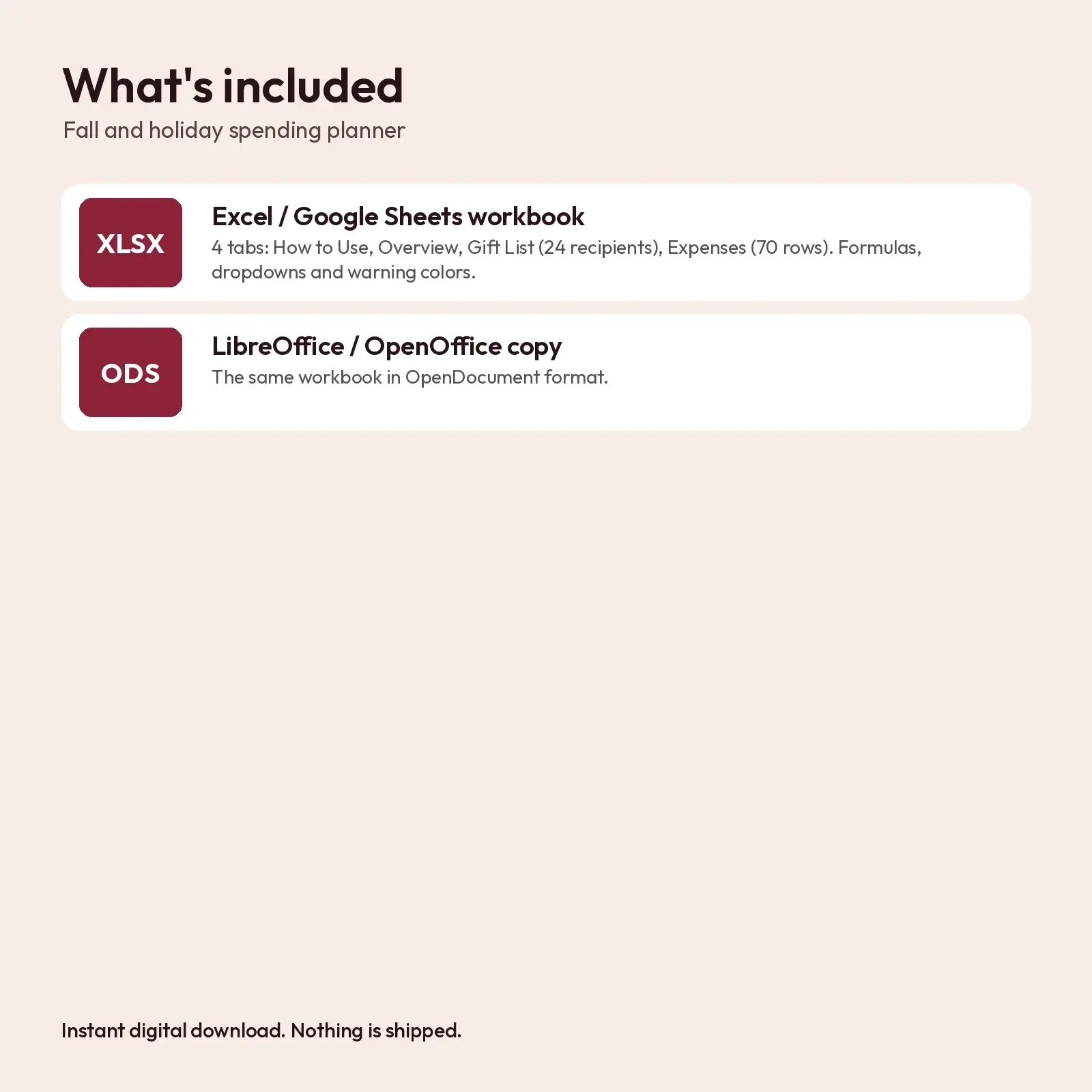
What's included: - 1 XLSX workbook with 4 tabs: How to Use, Overview, Gift List (24 recipient rows), Expenses (70 rows); formulas, dropdowns and warning colors - 1 ODS copy for LibreOffice and OpenOffice
Works with: - XLSX opens in Microsoft Excel (2016, 2019, 2021, Microsoft 365), Google Sheets (upload and open), LibreOffice Calc and Apple Numbers; formulas recalculate as you type. - ODS opens in LibreOffice Calc, Apache OpenOffice, Google Sheets, Microsoft Excel and Apple Numbers; formulas recalculate as you type.
Fonts: designed with Playfair Display, Nunito (free from Google Fonts under the SIL Open Font License, including commercial use). Install them for the exact look; if they are missing, your app swaps in a similar system font (Georgia or Arial style) and the layout still works, though line breaks may shift slightly.
How to use: enter your total budget, month and category plans on the Overview tab, list recipients on the Gift List tab, and log each purchase on the Expenses tab with the dropdowns.
How it calculates: monthly and category actuals are SUMIF formulas over the Expenses tab, gift spending per person is a SUMIF on the Gift for column, and the running total uses SUMIFS on dates. A "Gifts check" compares your gift list budget with the Gifts category plan. No macros, add-ins or external links. The sample purchases, recipients and amounts are invented examples (35 expenses, 16 gift recipients) that show how the totals respond. Clear the yellow cells to start with your own numbers.
Instant download, nothing shipped. Every illustration, layout and word in these files is original Educo work, licensed according to the tier you pick at checkout.
Works with Excel, Google Sheets, LibreOffice, Numbers.
File specs
| Formats | XLSX, ODS |
|---|---|
| Dimensions | US Letter portrait, 4 tabs |
| Color space | sRGB |
| Downloadable files | 2 downloadable files · XLSX, ODS formats |
| Category | Templates |
| Last updated |
What you’ll download
- xlsxfall-holiday-spending-planner.xlsx23 KB
- odsfall-holiday-spending-planner.ods21 KB
License and usage
- Personal · $5.00
- Use the files in your own non-commercial projects: home prints, gifts, personal social posts and school work. Anything made with them can’t be sold.
- Commercial · $10.00
- Use the files in client work and in products you sell, up to 5,000 units across all products. Credit is appreciated but not required.
- Extended · $25.00
- Everything in Commercial with no unit cap, including print-on-demand stores.
No license allows reselling, sharing or redistributing the original files as they are, including in free packs or AI training sets.