Class Attendance Register Spreadsheet, September to December: Monthly Tabs and Auto Attendance Percent
 By Educo
Price in USD. Local taxes calculated at checkout.
Buy 3 or more, save 20% from this shop
- 2 downloadable files · XLSX, ODS formats · US Letter landscape, 7 sheets
- Buyer protection. Corrupt or mismatched files? Full refund.
Item details
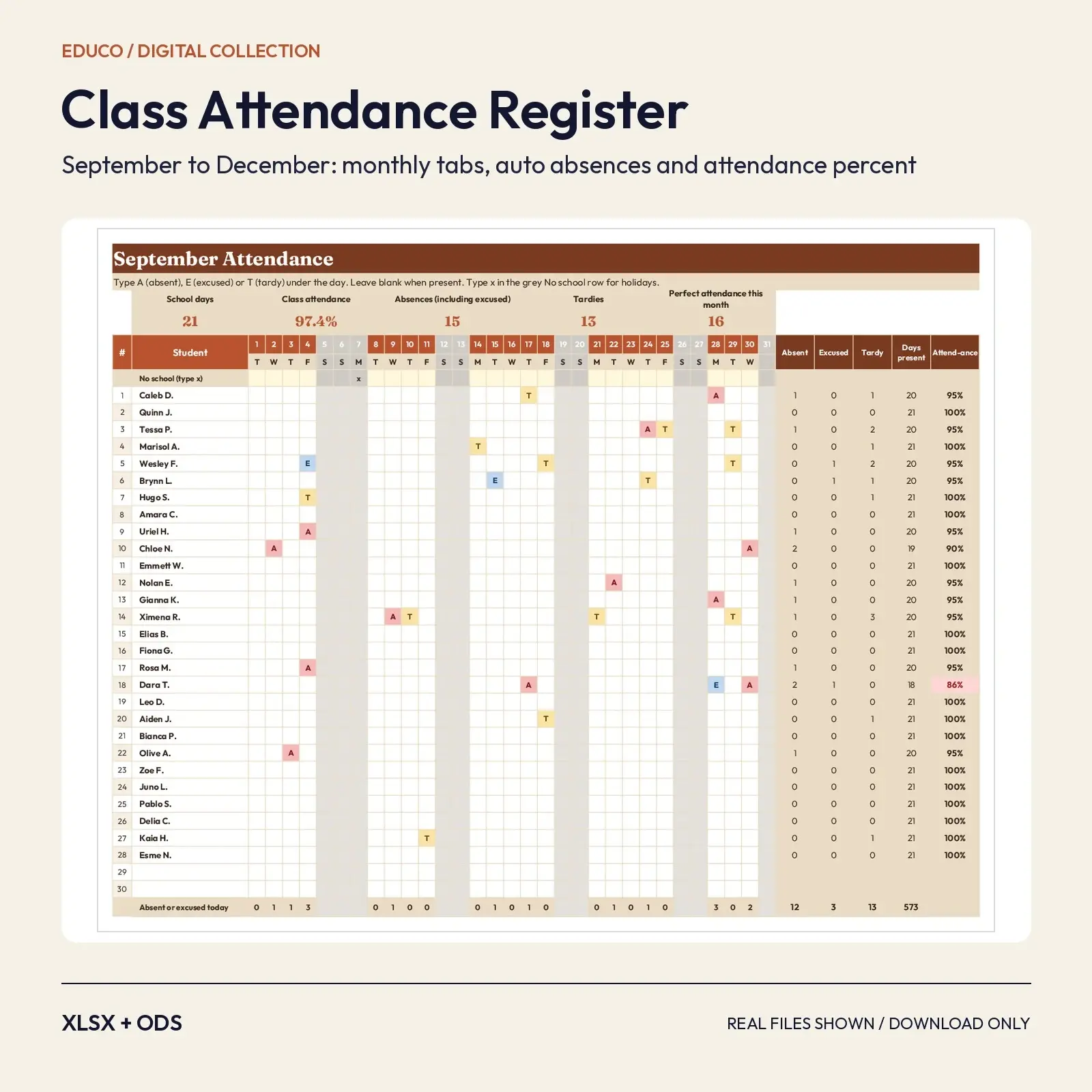
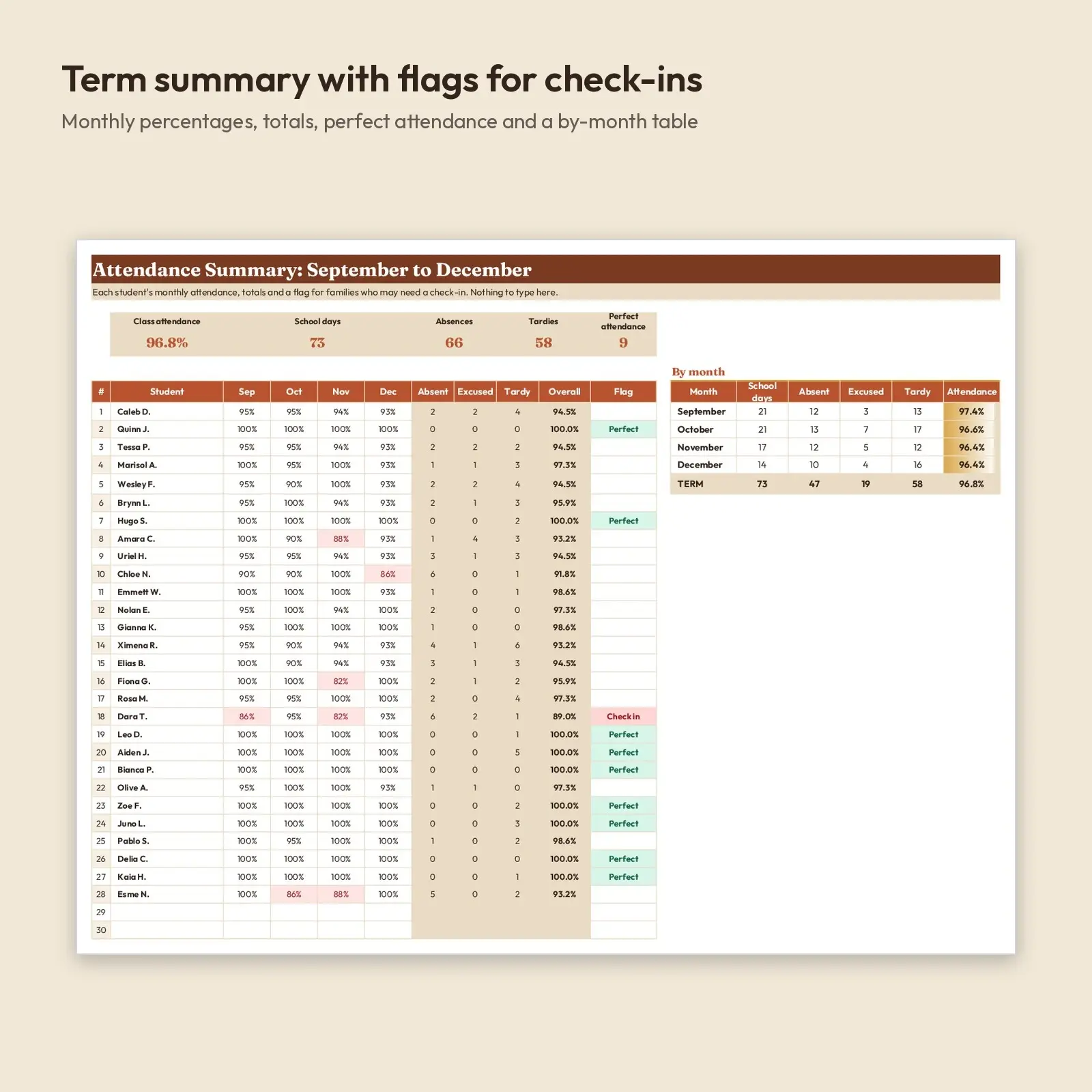
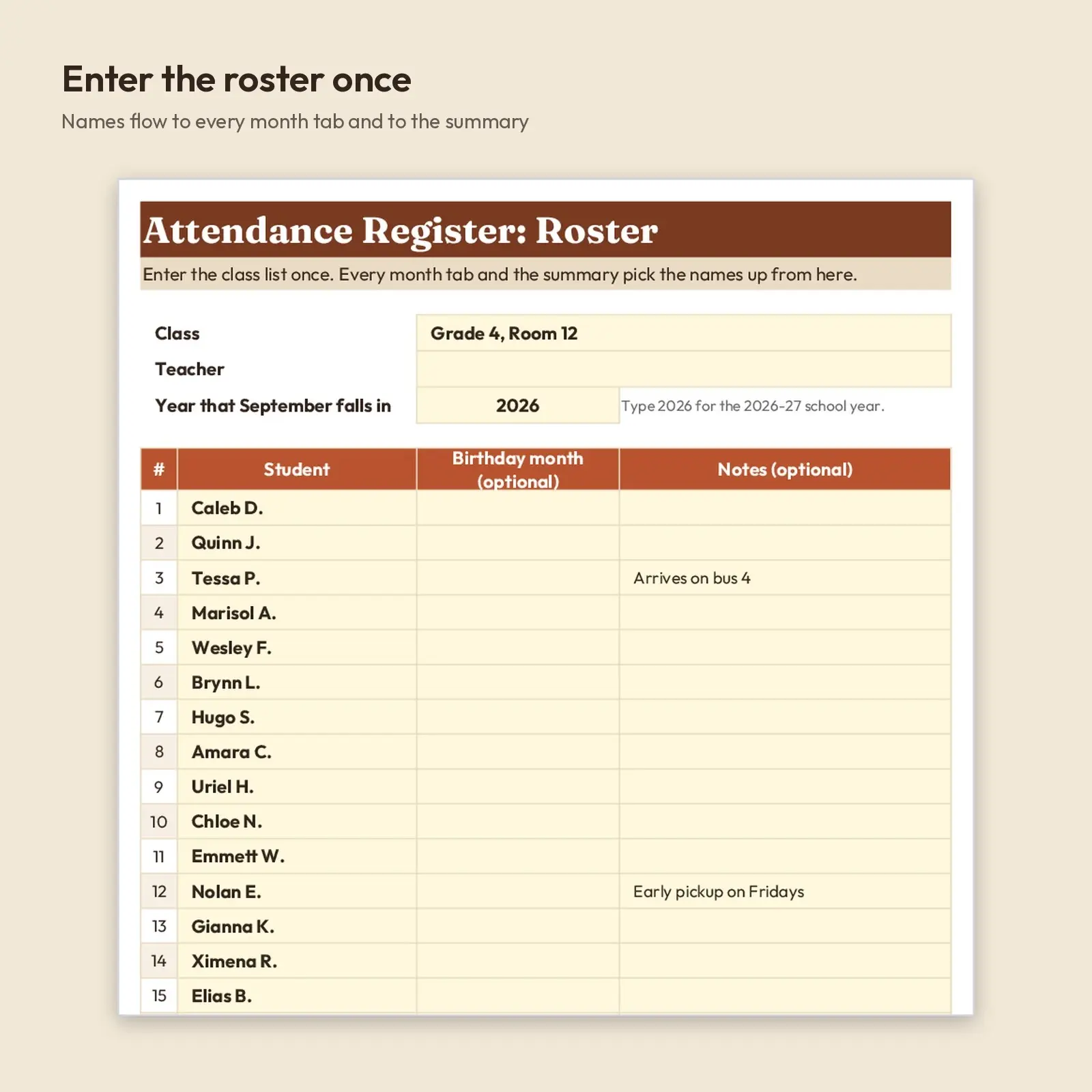
A full fall-term attendance register for one class of up to 30 students. Enter the roster once, then use a month tab each for September, October, November and December. Dates and weekdays are calculated from the year you enter, weekends are shaded automatically, and a No school row lets you skip holidays and breaks. Mark A, E or T under a student and the sheet counts absences, excused absences, tardies and days present, and works out each child's attendance percentage. A Summary tab pulls the whole term together.
Ideas for using it: - Keep a clean, printable record of daily attendance for the fall term - Spot students below 90% attendance before conferences or progress reports - Report perfect attendance and monthly class attendance to the office in minutes
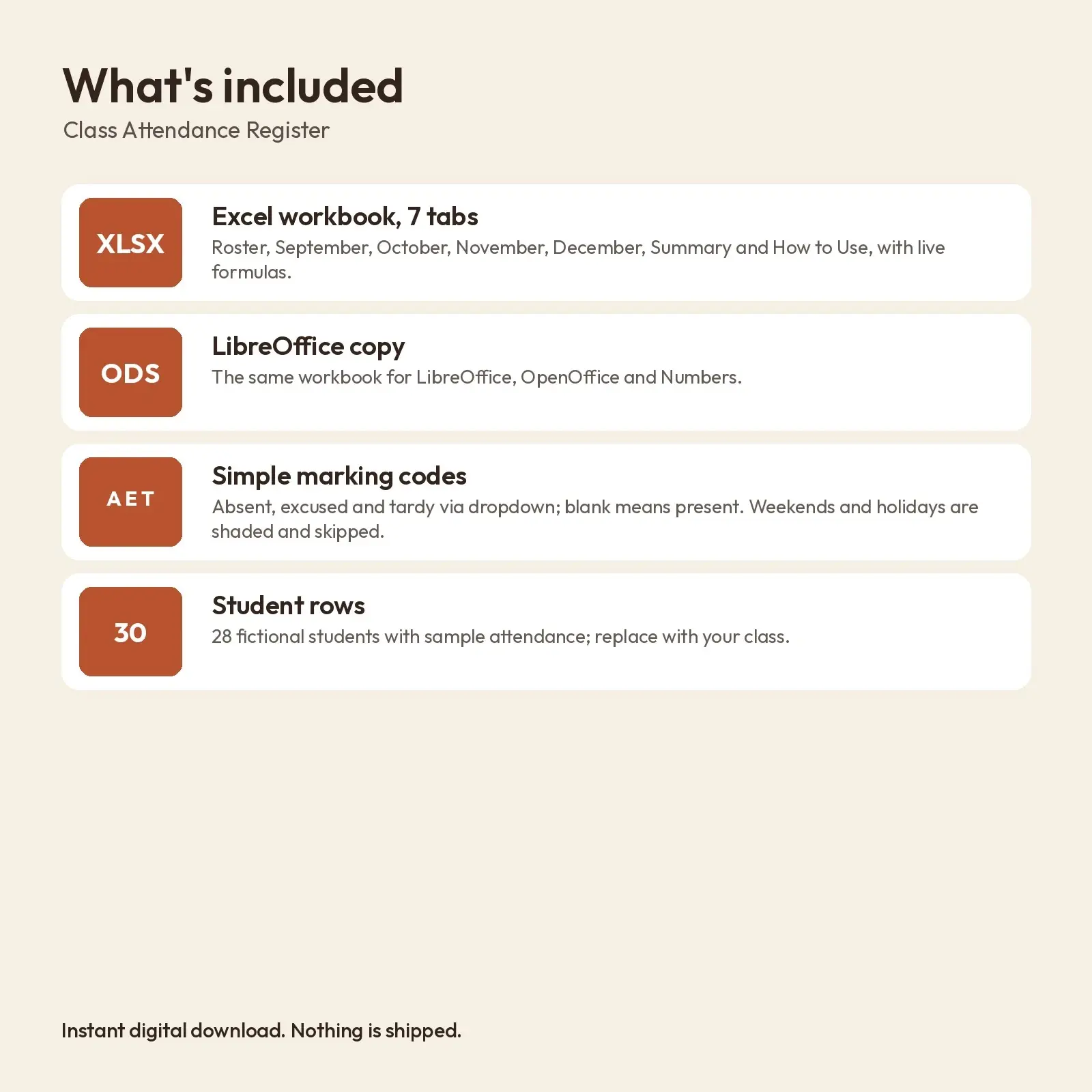
What's included: - 1 XLSX workbook with 7 tabs: Roster, September, October, November, December, Summary, How to Use - 1 ODS copy of the workbook for LibreOffice and OpenOffice - Sample term with a school calendar (Labor Day, a fall break day, Veterans Day, Thanksgiving break, winter break) and 28 fictional students
Opens in: - XLSX opens in Microsoft Excel (2016, 2019, 2021, Microsoft 365), Google Sheets (upload and open), LibreOffice Calc and Apple Numbers; formulas recalculate as you type. - ODS opens in LibreOffice Calc, Apache OpenOffice, Google Sheets, Microsoft Excel and Apple Numbers; formulas recalculate as you type.
Fonts: designed with Fraunces, Nunito (free from Google Fonts under the SIL Open Font License, including commercial use). Install them for the exact look; if they are missing, your app swaps in a similar system font (Georgia or Arial style) and the layout still works, though line breaks may shift slightly.
How to use: type only in the soft yellow cells and in the day boxes. A, E and T come from a dropdown. No macros, add-ins or external links.
How attendance is counted: days present = school days minus absent minus excused; tardy students count as present. Attendance % = days present / school days. Weekends and any day marked x in the No school row are not counted, and marks typed on those days are ignored. The calendar, names and marks in the sample are made up. To start your own term, type your year on the Roster tab, replace the names, clear the marks and update the No school row. Please do not store sensitive information in this sheet.
Instant download, nothing shipped. Every illustration, layout and word in these files is original Educo work, licensed according to the tier you pick at checkout.
Works with Excel, Google Sheets, LibreOffice, Numbers.
File specs
| Formats | XLSX, ODS |
|---|---|
| Dimensions | US Letter landscape, 7 sheets |
| Color space | sRGB |
| Downloadable files | 2 downloadable files · XLSX, ODS formats |
| Category | Templates |
| Last updated |
What you’ll download
- xlsxfall-class-attendance-register-sept-dec.xlsx56 KB
- odsfall-class-attendance-register-sept-dec.ods40 KB
License and usage
- Personal · $7.00
- Use the files in your own non-commercial projects: home prints, gifts, personal social posts and school work. Anything made with them can’t be sold.
- Commercial · $14.00
- Use the files in client work and in products you sell, up to 5,000 units across all products. Credit is appreciated but not required.
- Extended · $35.00
- Everything in Commercial with no unit cap, including print-on-demand stores.
No license allows reselling, sharing or redistributing the original files as they are, including in free packs or AI training sets.