Fall Field Trip Money and Permission Slip Tracker Spreadsheet: Payments, Lunch Counts, Chaperone Groups
 By Educo
Price in USD. Local taxes calculated at checkout.
Buy 3 or more, save 20% from this shop
- 2 downloadable files · XLSX, ODS formats · US Letter, 5 sheets
- Buyer protection. Corrupt or mismatched files? Full refund.
Item details
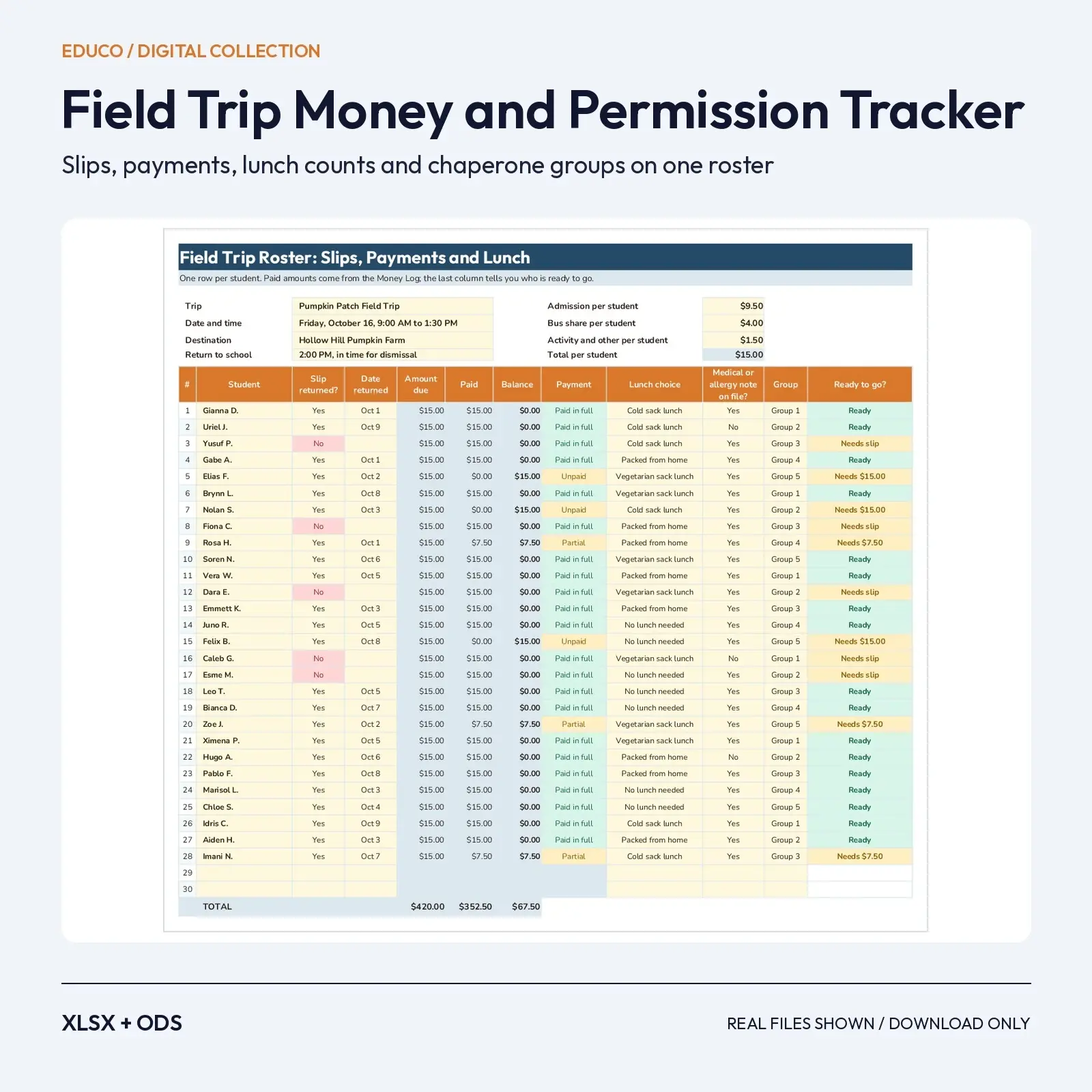
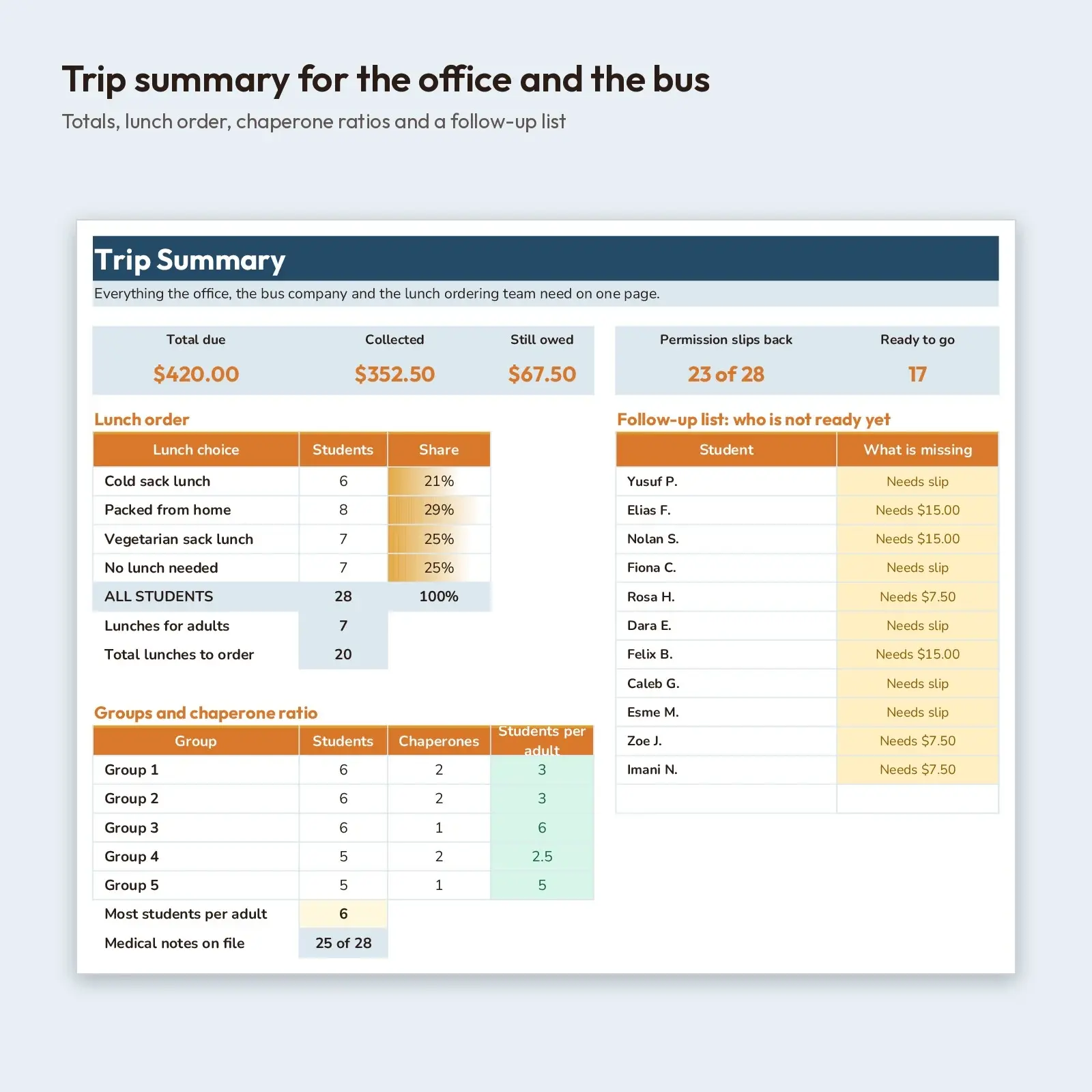
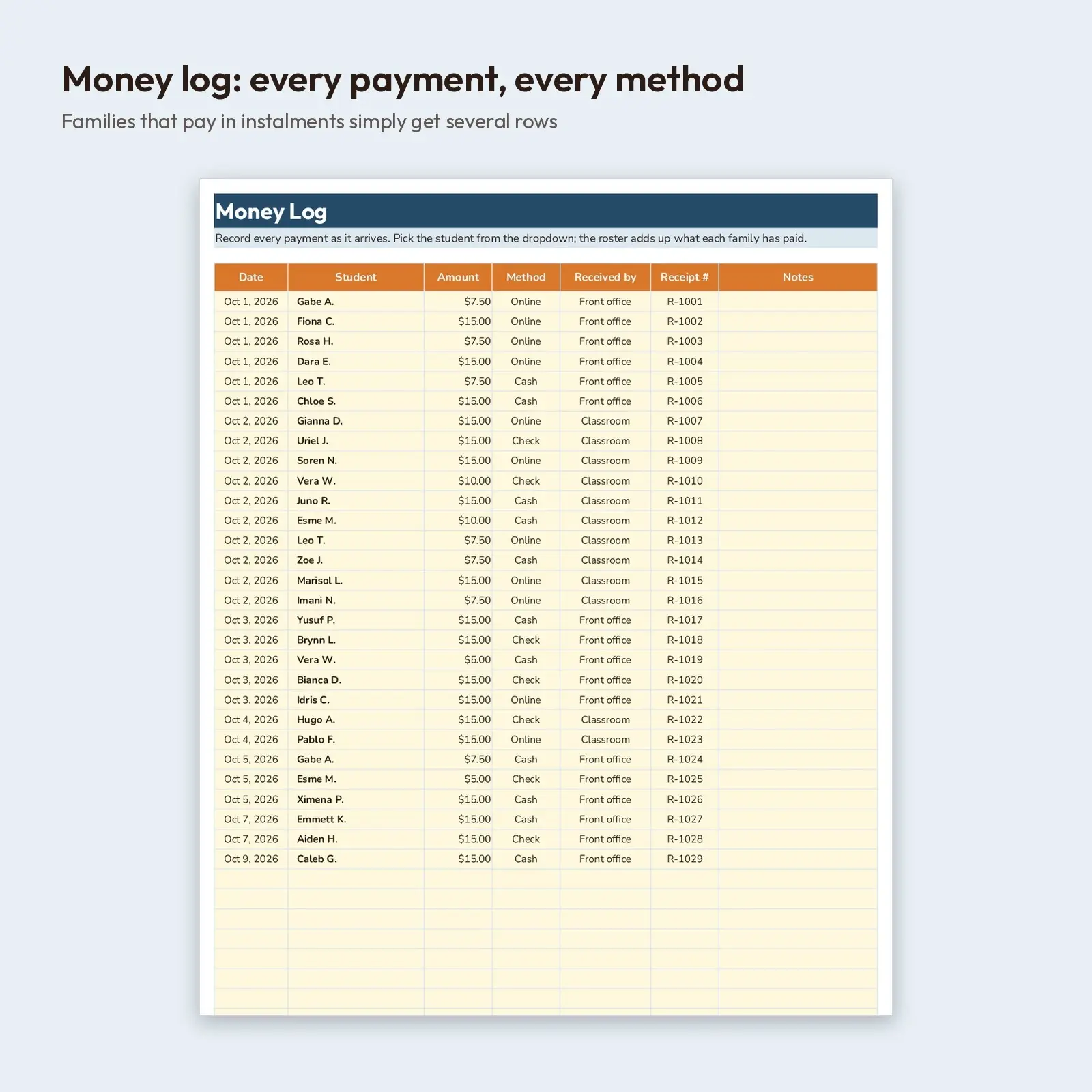
Everything a teacher needs to keep a fall field trip under control. The roster tracks each student's permission slip, how much has been paid, lunch choice, medical-note flag and group, and a Ready to go column spells out exactly what is still missing. A Money Log records every payment as it arrives, Chaperones assigns adults to groups, and the Summary gives you totals, the lunch order, students-per-adult ratios and a follow-up list to hand to the front office.
Use it for: - Collect trip fees and slips for a pumpkin patch, orchard or nature-center outing without paper lists - Give the lunch team and the bus coordinator accurate counts the day before - Spot groups that are short of adults and families that still owe money or a signature
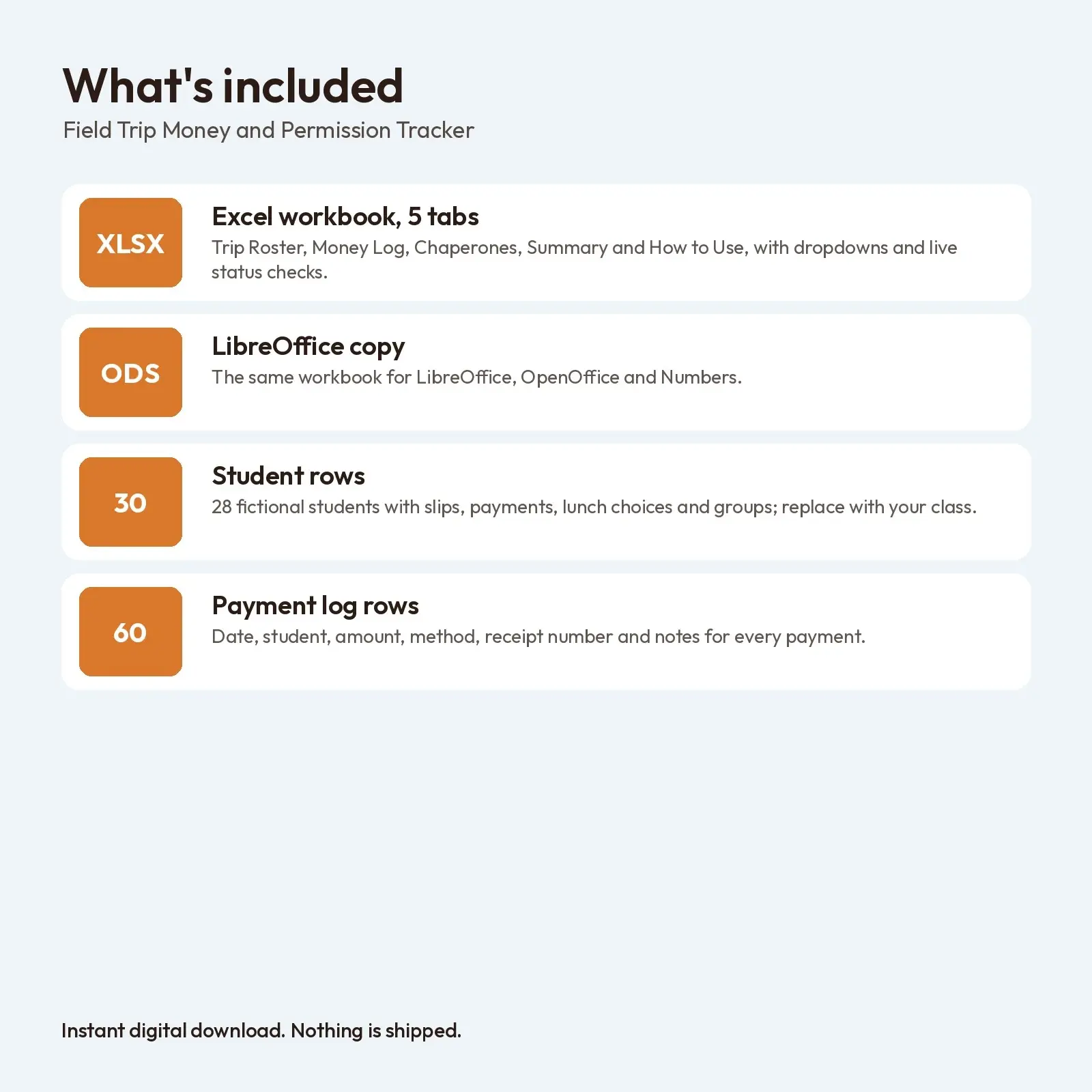
What's included: - 1 XLSX workbook with 5 tabs: Trip Roster (30 rows), Money Log (60 rows), Chaperones (14 rows), Summary, How to Use - 1 ODS copy of the workbook for LibreOffice and OpenOffice - Sample trip with 28 fictional students, 7 sample payments methods mix, 8 placeholder chaperones
Opens in: - XLSX opens in Microsoft Excel (2016, 2019, 2021, Microsoft 365), Google Sheets (upload and open), LibreOffice Calc and Apple Numbers; formulas recalculate as you type. - ODS opens in LibreOffice Calc, Apache OpenOffice, Google Sheets, Microsoft Excel and Apple Numbers; formulas recalculate as you type.
Fonts: designed with Outfit, Nunito (free from Google Fonts under the SIL Open Font License, including commercial use). Install them for the exact look; if they are missing, your app swaps in a similar system font (Georgia or Arial style) and the layout still works, though line breaks may shift slightly.
How to use: type only in the soft yellow cells. Student and chaperone group lists are dropdowns. No macros, add-ins or external links.
How it works: a student's Paid amount is the sum of their rows in the Money Log, the balance is the amount due minus what was paid, and Ready to go appears only when the slip is marked Yes and the balance is zero. The lunch order, group ratios and follow-up list are all calculated from the roster. Privacy note: the sheet records whether a medical or allergy note is on file, not the details. Names, amounts and trip details in the sample are made up.
Digital download only: you receive the files listed above right after purchase and nothing is mailed. All artwork and layouts are original Educo designs.
Works with Excel, Google Sheets, LibreOffice, Numbers.
File specs
| Formats | XLSX, ODS |
|---|---|
| Dimensions | US Letter, 5 sheets |
| Color space | sRGB |
| Downloadable files | 2 downloadable files · XLSX, ODS formats |
| Category | Templates |
| Last updated |
What you’ll download
- xlsxfall-field-trip-money-permission-tracker.xlsx25 KB
- odsfall-field-trip-money-permission-tracker.ods20 KB
License and usage
- Personal · $6.00
- Use the files in your own non-commercial projects: home prints, gifts, personal social posts and school work. Anything made with them can’t be sold.
- Commercial · $12.00
- Use the files in client work and in products you sell, up to 5,000 units across all products. Credit is appreciated but not required.
- Extended · $30.00
- Everything in Commercial with no unit cap, including print-on-demand stores.
No license allows reselling, sharing or redistributing the original files as they are, including in free packs or AI training sets.