Potluck Sign-Up Spreadsheet: Dish Categories with Limits, Allergen Marks and Auto Full Warning
 By Educo
Price in USD. Local taxes calculated at checkout.
Buy 3 or more, save 20% from this shop
- 3 downloadable files · XLSX, CSV, TSV formats · US Letter landscape, 3 sheets
- Buyer protection. Corrupt or mismatched files? Full refund.
Item details
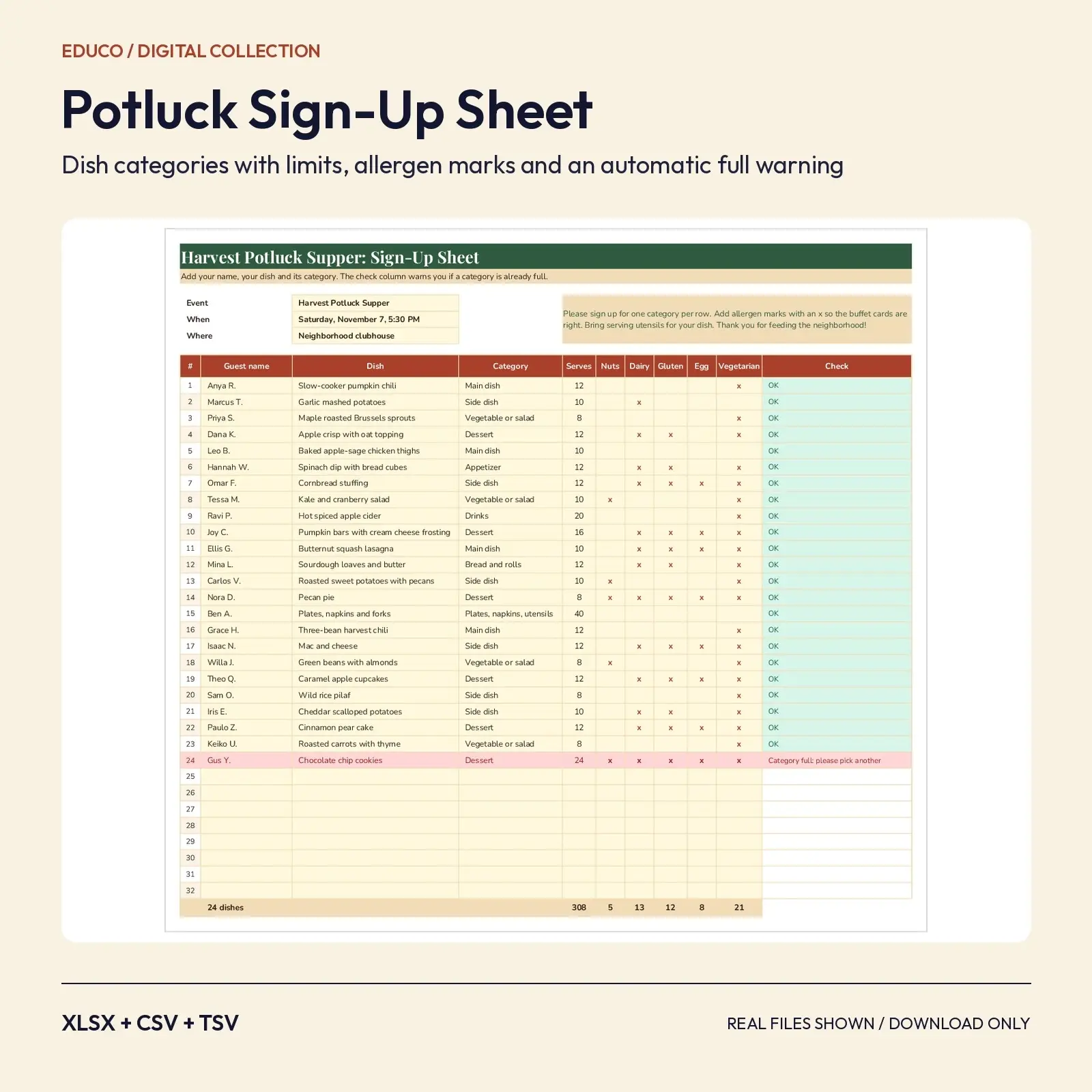
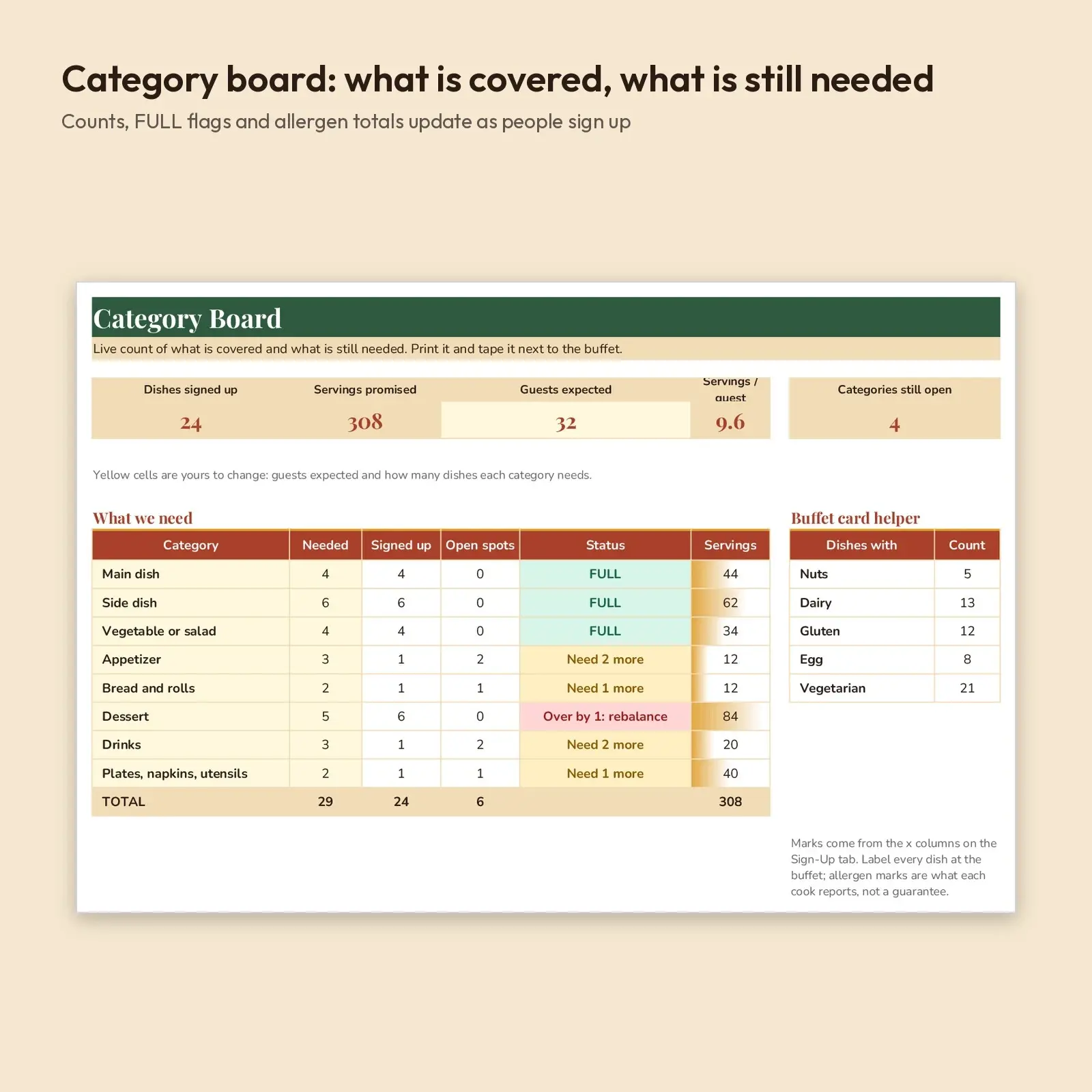
A potluck sign-up sheet that keeps itself balanced. Guests pick a category from a dropdown, add their dish and servings, and mark nuts, dairy, gluten, egg or vegetarian with an x. If a category is already full, the row turns red and asks them to choose another, so you never end up with six desserts and no sides. A second tab shows what is covered and what is still needed, with allergen totals for your buffet cards.
Ideas for using it: - Organize a Friendsgiving, harvest supper, school or office fall potluck - Print the Category Board and tape it next to the buffet table - Hand a clean dish list with allergen marks to the host or kitchen helpers
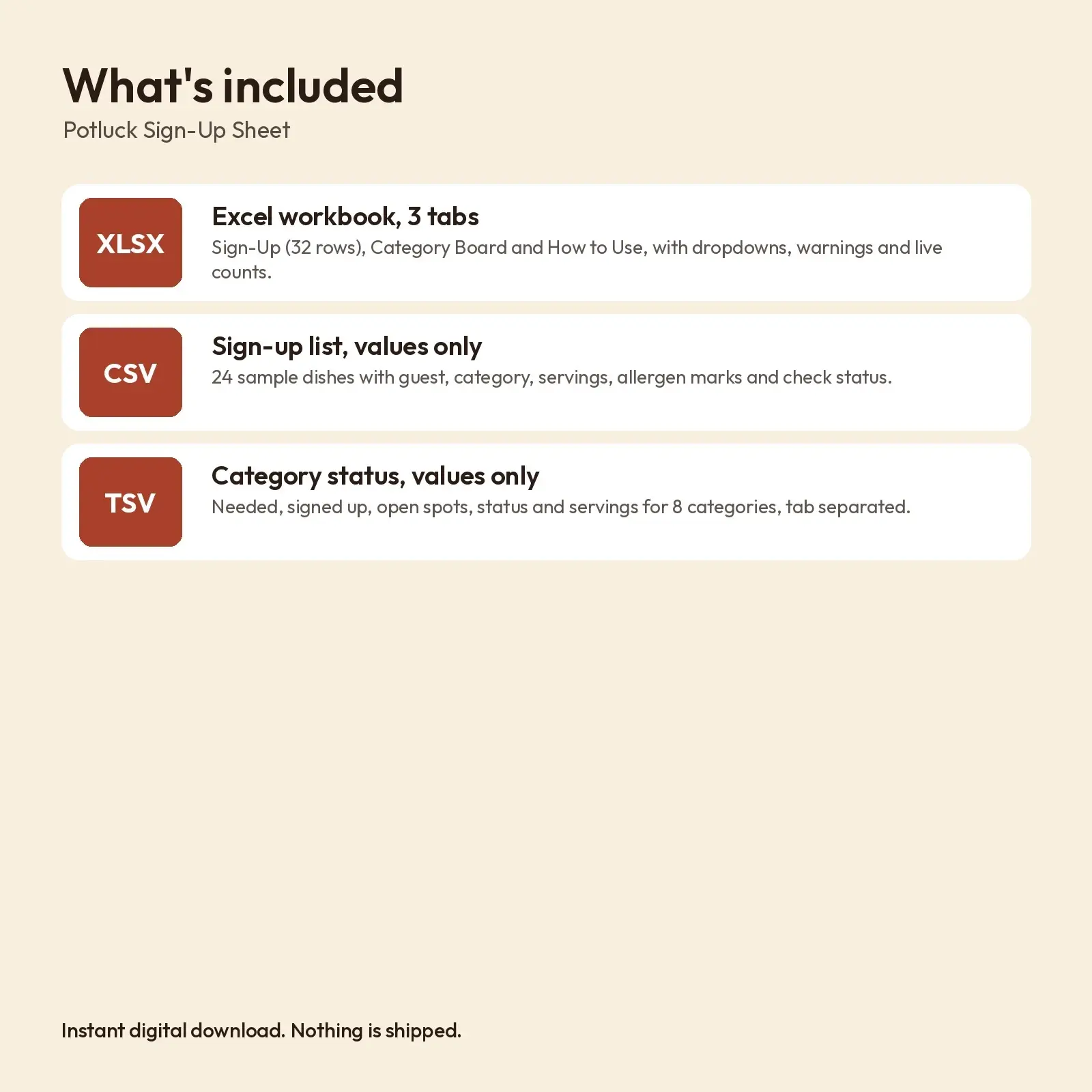
What's included: - 1 XLSX workbook with 3 tabs: Sign-Up (32 rows, 24 filled with sample dishes), Category Board, How to Use - 1 CSV: the sign-up list as plain values - 1 TSV: the category status table as plain values
Opens in: - XLSX opens in Microsoft Excel (2016, 2019, 2021, Microsoft 365), Google Sheets (upload and open), LibreOffice Calc and Apple Numbers; formulas recalculate as you type. - CSV (comma-separated, UTF-8) imports into Excel, Google Sheets, Numbers, LibreOffice, Airtable, Notion and most databases. - TSV (tab-separated, UTF-8) imports into Excel, Google Sheets, Numbers, LibreOffice and most databases; it keeps commas inside text cells.
Fonts: designed with Playfair Display, Nunito (free from Google Fonts under the SIL Open Font License, including commercial use). Install them for the exact look; if they are missing, your app swaps in a similar system font (Georgia or Arial style) and the layout still works, though line breaks may shift slightly.
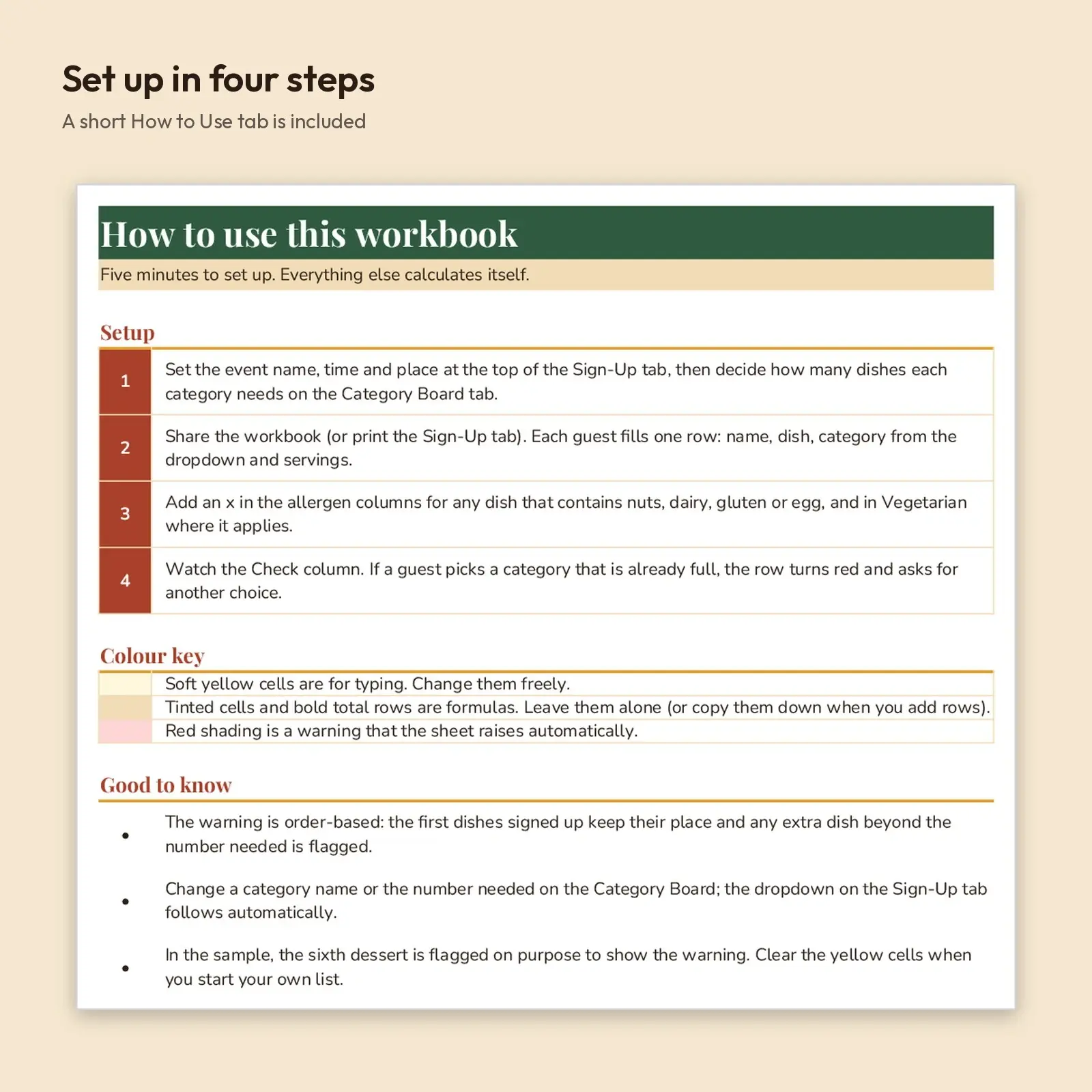
How to use: type only in the soft yellow cells. The dropdown list of categories follows the Category Board. No macros, add-ins or external links.
How the full warning works: the first dishes signed up in a category keep their place; any dish beyond the number needed in that category is flagged. Change the number needed on the Category Board and every check updates. The sample event, names and dishes are made up. The sixth dessert is flagged on purpose to show the warning; clear the yellow cells to start your own list. Allergen marks are what each cook reports, not a guarantee.
This is an instant digital download. No physical item is shipped. Files are original Educo designs; use depends on the license tier you choose at checkout.
Works with Excel, Google Sheets, LibreOffice, Numbers.
File specs
| Formats | XLSX, CSV, TSV |
|---|---|
| Dimensions | US Letter landscape, 3 sheets |
| Color space | sRGB |
| Downloadable files | 3 downloadable files · XLSX, CSV, TSV formats |
| Category | Templates |
| Last updated |
What you’ll download
- xlsxpotluck-sign-up-sheet-category-limits.xlsx18 KB
- tsvpotluck-category-status.tsv315 B
- csvpotluck-sign-ups.csv1.5 KB
License and usage
- Personal · $4.00
- Use the files in your own non-commercial projects: home prints, gifts, personal social posts and school work. Anything made with them can’t be sold.
- Commercial · $8.00
- Use the files in client work and in products you sell, up to 5,000 units across all products. Credit is appreciated but not required.
- Extended · $20.00
- Everything in Commercial with no unit cap, including print-on-demand stores.
No license allows reselling, sharing or redistributing the original files as they are, including in free packs or AI training sets.