Fall Term Gradebook Spreadsheet with Weighted Categories, Letter Grades and Class Averages (30 Students)
 By Educo
Price in USD. Local taxes calculated at checkout.
Buy 3 or more, save 20% from this shop
- 2 downloadable files · XLSX, ODS formats · US Letter, 4 sheets
- Buyer protection. Corrupt or mismatched files? Full refund.
Item details
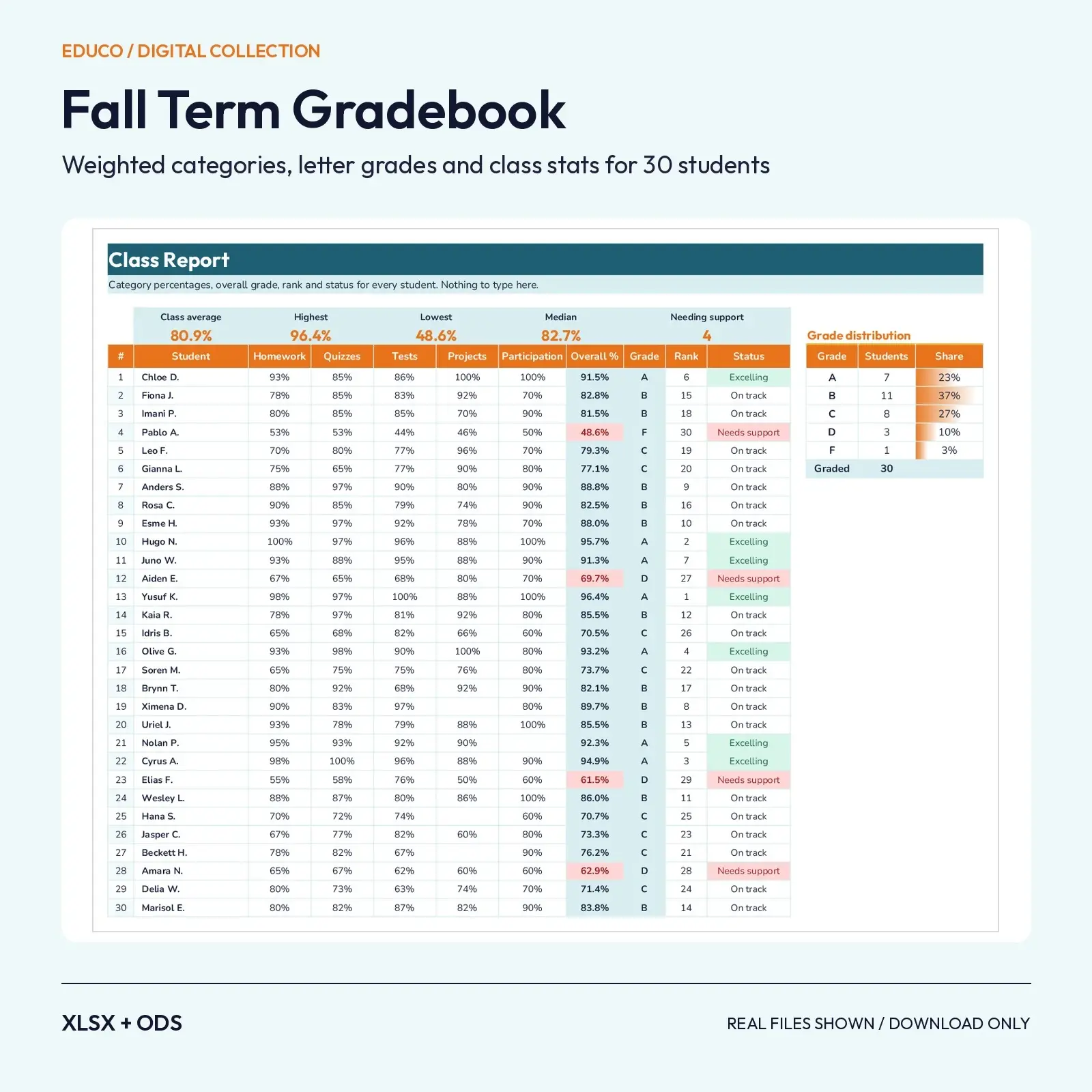
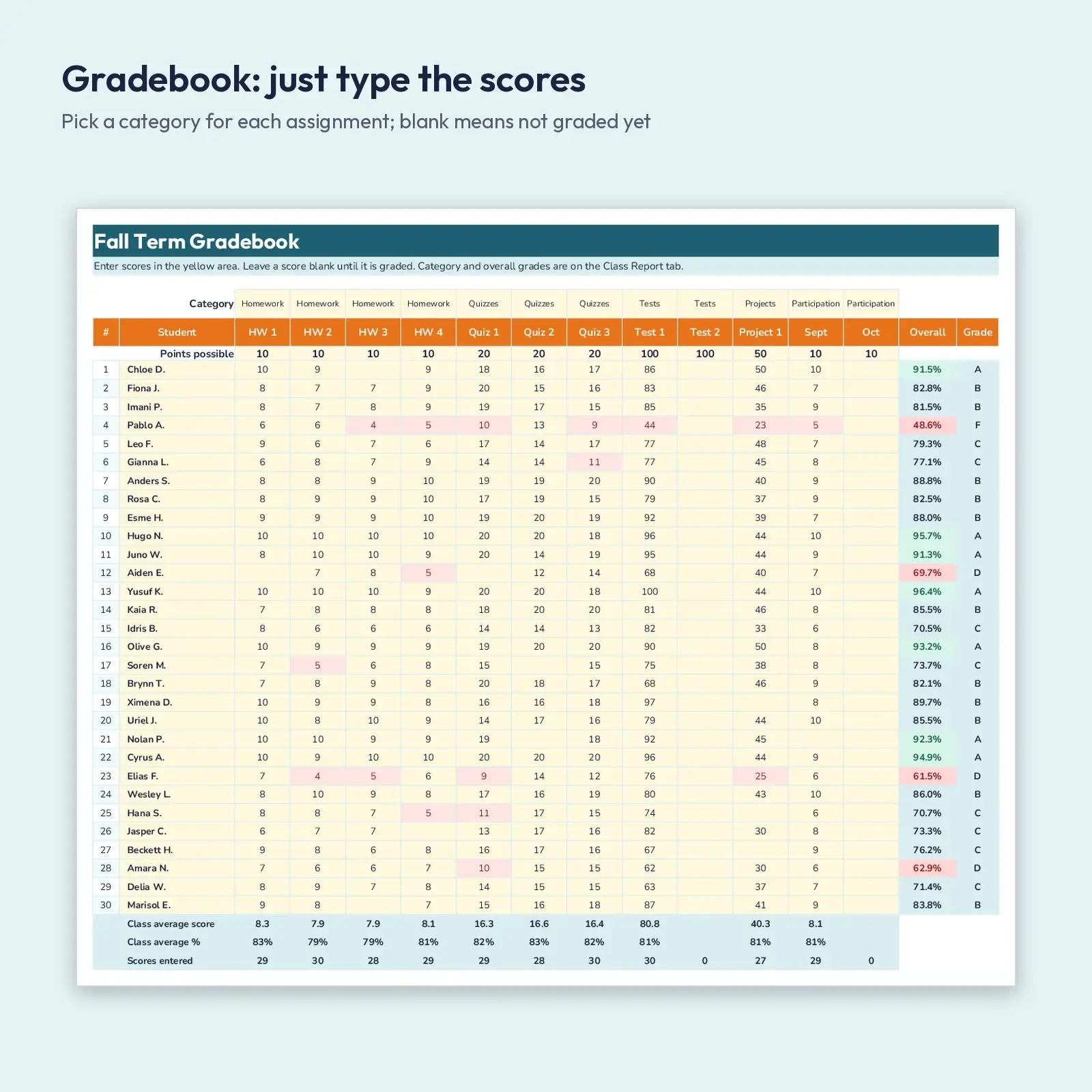
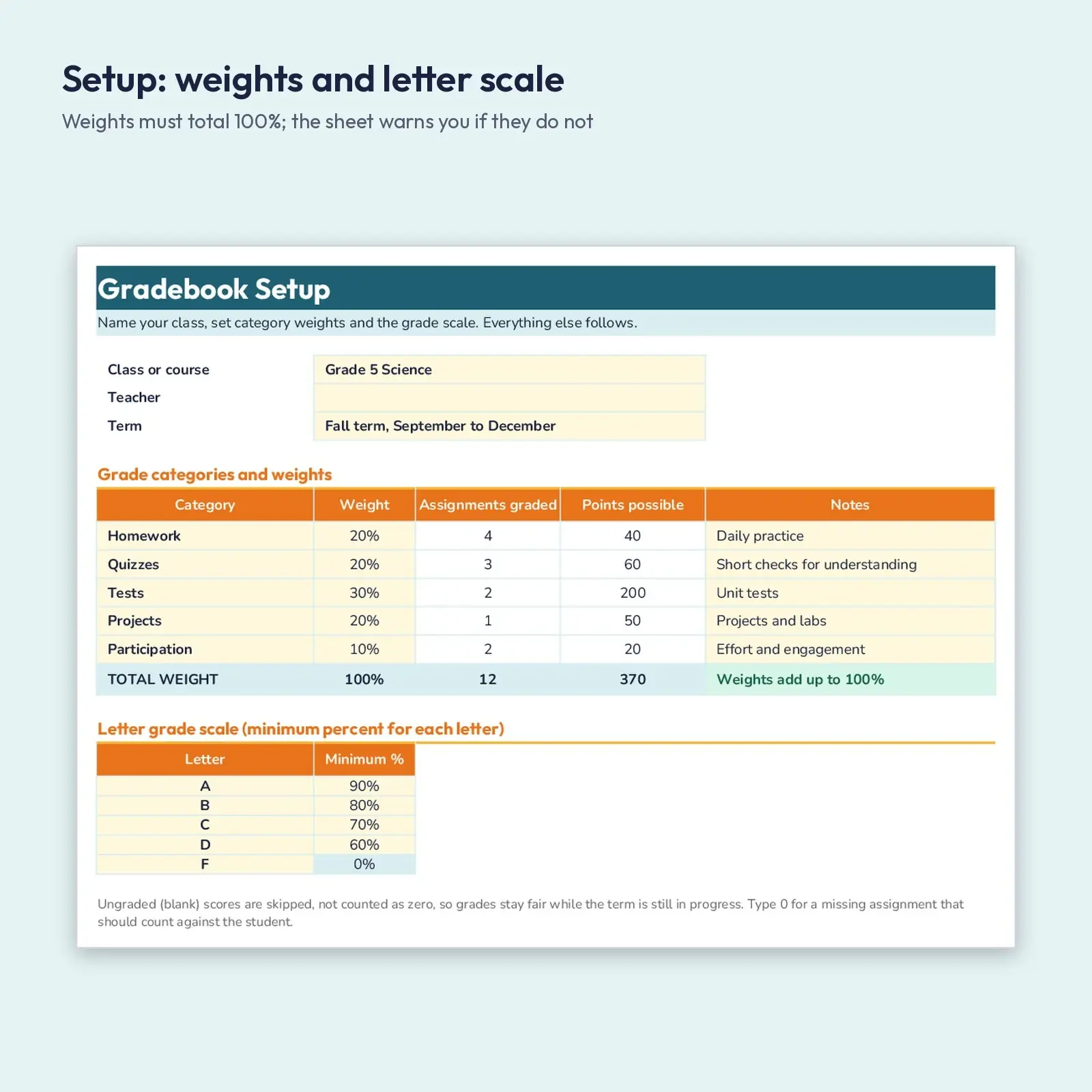
A complete teacher gradebook for one fall term. Set your five category weights once, list your assignments with points possible, and enter scores for up to 30 students. The Class Report tab then works out category percentages, a weighted overall percent, the letter grade, class rank and a status flag, plus class average, highest, lowest, median and a grade distribution with bars. Blank scores are skipped, so grades stay fair while the term is still in progress.
Great for: - Track and weight homework, quizzes, tests, projects and participation without a single formula to write - Spot students who need support before progress reports go home - Print the Class Report for conference week or keep one tab per class period
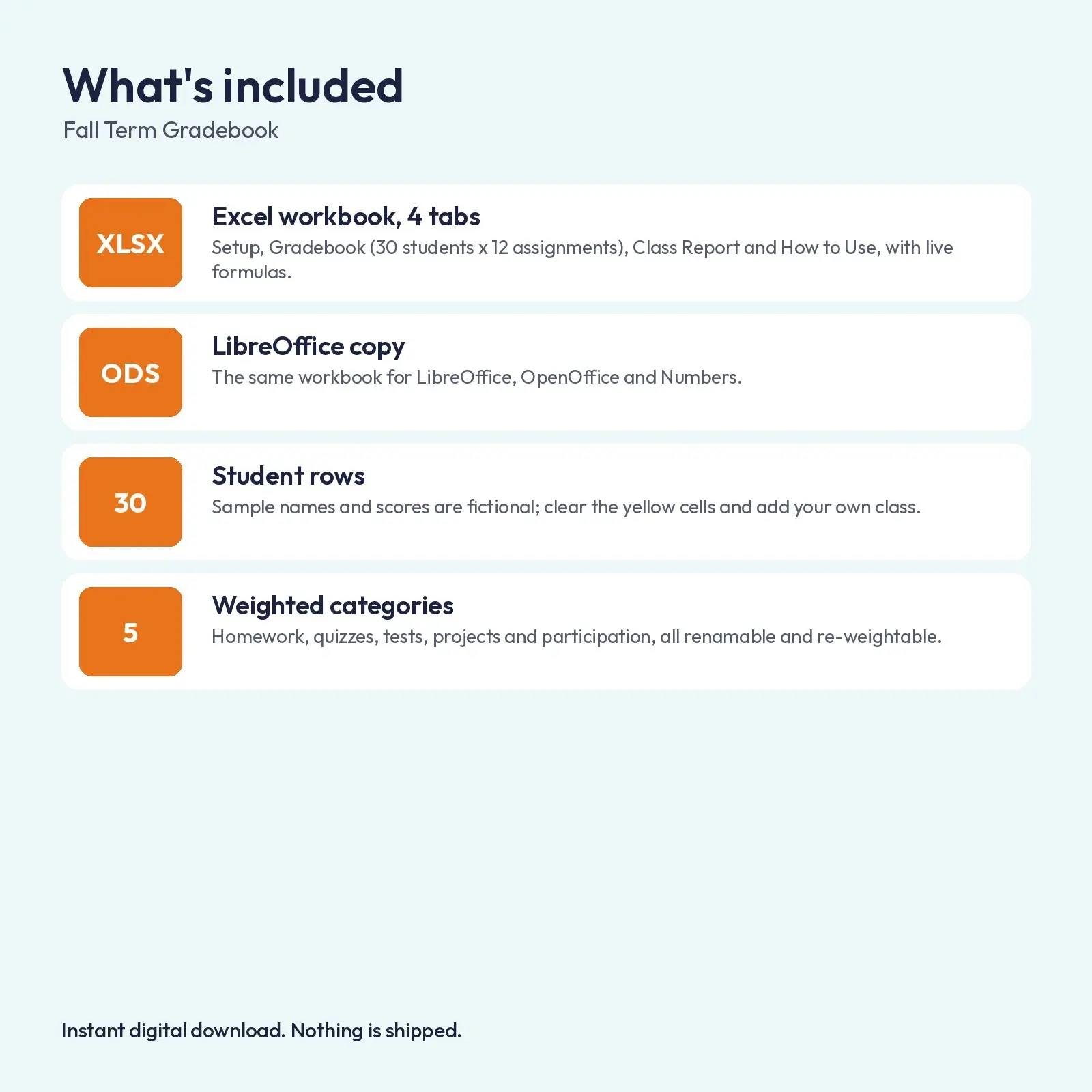
What's included: - 1 XLSX workbook with 4 tabs: Setup, Gradebook (30 student rows, 12 assignment columns), Class Report, How to Use - 1 ODS copy of the workbook for LibreOffice and OpenOffice - Sample class of 30 fictional students with realistic scores, ready to clear and replace
Opens in: - XLSX opens in Microsoft Excel (2016, 2019, 2021, Microsoft 365), Google Sheets (upload and open), LibreOffice Calc and Apple Numbers; formulas recalculate as you type. - ODS opens in LibreOffice Calc, Apache OpenOffice, Google Sheets, Microsoft Excel and Apple Numbers; formulas recalculate as you type.
Fonts used: Outfit, Nunito. They are free from Google Fonts under the SIL Open Font License, including commercial use. Install them before opening for the intended look; without them, a close fallback font is substituted automatically and spacing may differ a little.
How to use: type only in the soft yellow cells. Category names, weights, points possible and the grade scale are all editable; the Class Report is all formulas. No macros, add-ins or external links.
How grades are calculated: for each category, points earned divided by points possible (graded work only). The overall percent is the weighted average of the categories that have scores, rescaled if a category has none yet. Letter grades use the minimum percentages on the Setup tab, which you can change. Built-in checks: weights must total 100%, a score above the points possible turns red, a score under 60% is shaded light red, and an overall grade under 70% is flagged. Sheets are set to print landscape on US Letter, one page per tab.
This is an instant digital download. No physical item is shipped. Files are original Educo designs; use depends on the license tier you choose at checkout.
Works with Excel, Google Sheets, LibreOffice, Numbers.
File specs
| Formats | XLSX, ODS |
|---|---|
| Dimensions | US Letter, 4 sheets |
| Color space | sRGB |
| Downloadable files | 2 downloadable files · XLSX, ODS formats |
| Category | Templates |
| Last updated |
What you’ll download
- xlsxfall-term-gradebook-weighted-grades.xlsx26 KB
- odsfall-term-gradebook-weighted-grades.ods24 KB
License and usage
- Personal · $6.00
- Use the files in your own non-commercial projects: home prints, gifts, personal social posts and school work. Anything made with them can’t be sold.
- Commercial · $12.00
- Use the files in client work and in products you sell, up to 5,000 units across all products. Credit is appreciated but not required.
- Extended · $30.00
- Everything in Commercial with no unit cap, including print-on-demand stores.
No license allows reselling, sharing or redistributing the original files as they are, including in free packs or AI training sets.