Trick-or-Treat Candy Inventory and Calculator Spreadsheet: How Much Halloween Candy to Buy
 By Educo
Price in USD. Local taxes calculated at checkout.
Buy 3 or more, save 20% from this shop
- 3 downloadable files · XLSX, ODS, CSV formats · US Letter landscape, 3 sheets
- Buyer protection. Corrupt or mismatched files? Full refund.
Item details
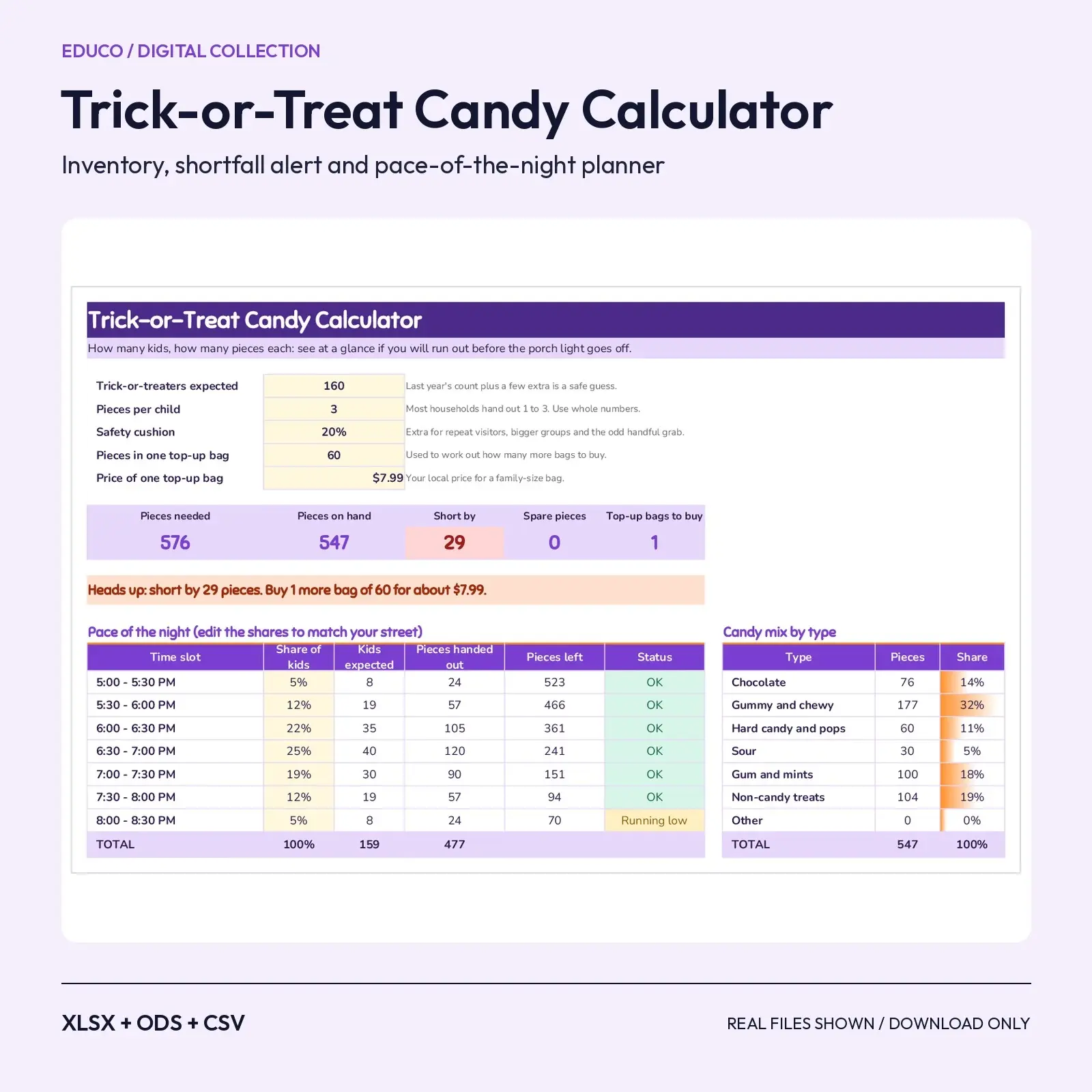
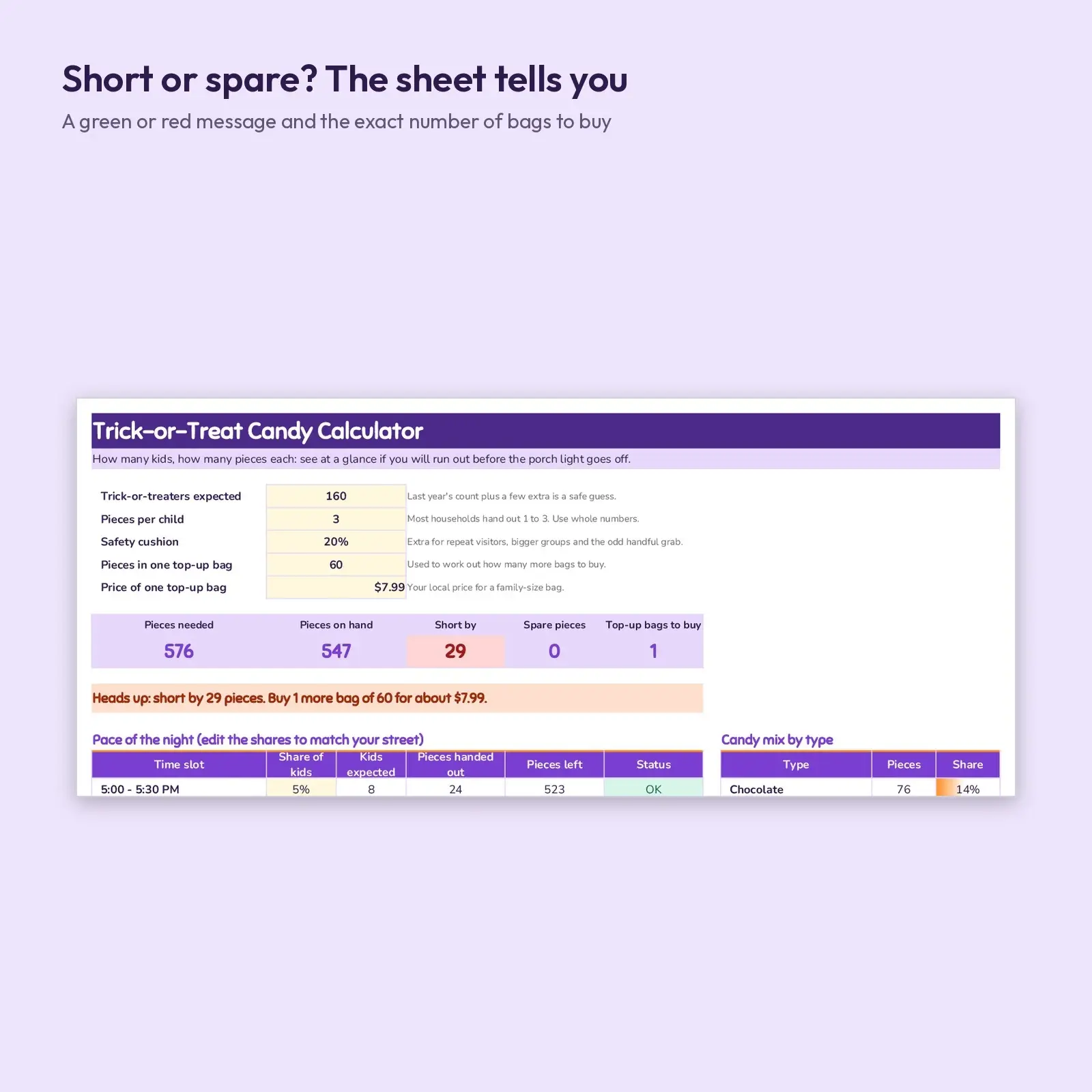
Count your candy, enter how many trick-or-treaters you expect, and this spreadsheet tells you whether you will run out. It adds up every bag you own, works out the pieces you need with a safety cushion, and shows a green message when you are covered or a red one with the exact number of top-up bags to buy and what they will cost. A pace-of-the-night table shows when the bowl would empty, slot by slot.
Use it for: - Decide how much candy to buy before the Halloween rush empties the shelves - Run a neighborhood, school or church trunk-or-treat table and keep track of what is on hand - Balance chocolate, chewy, sour and non-candy treats so every child finds something
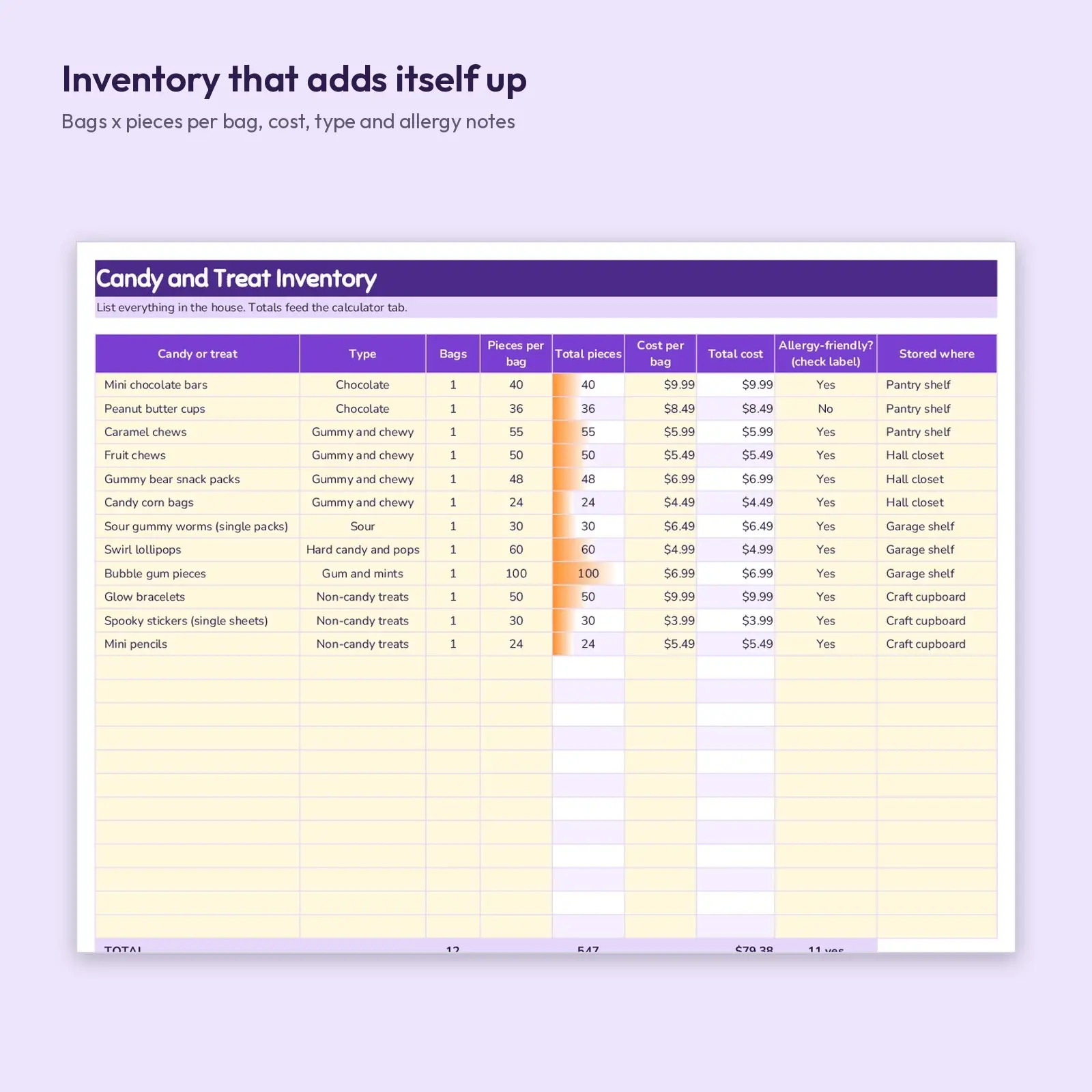
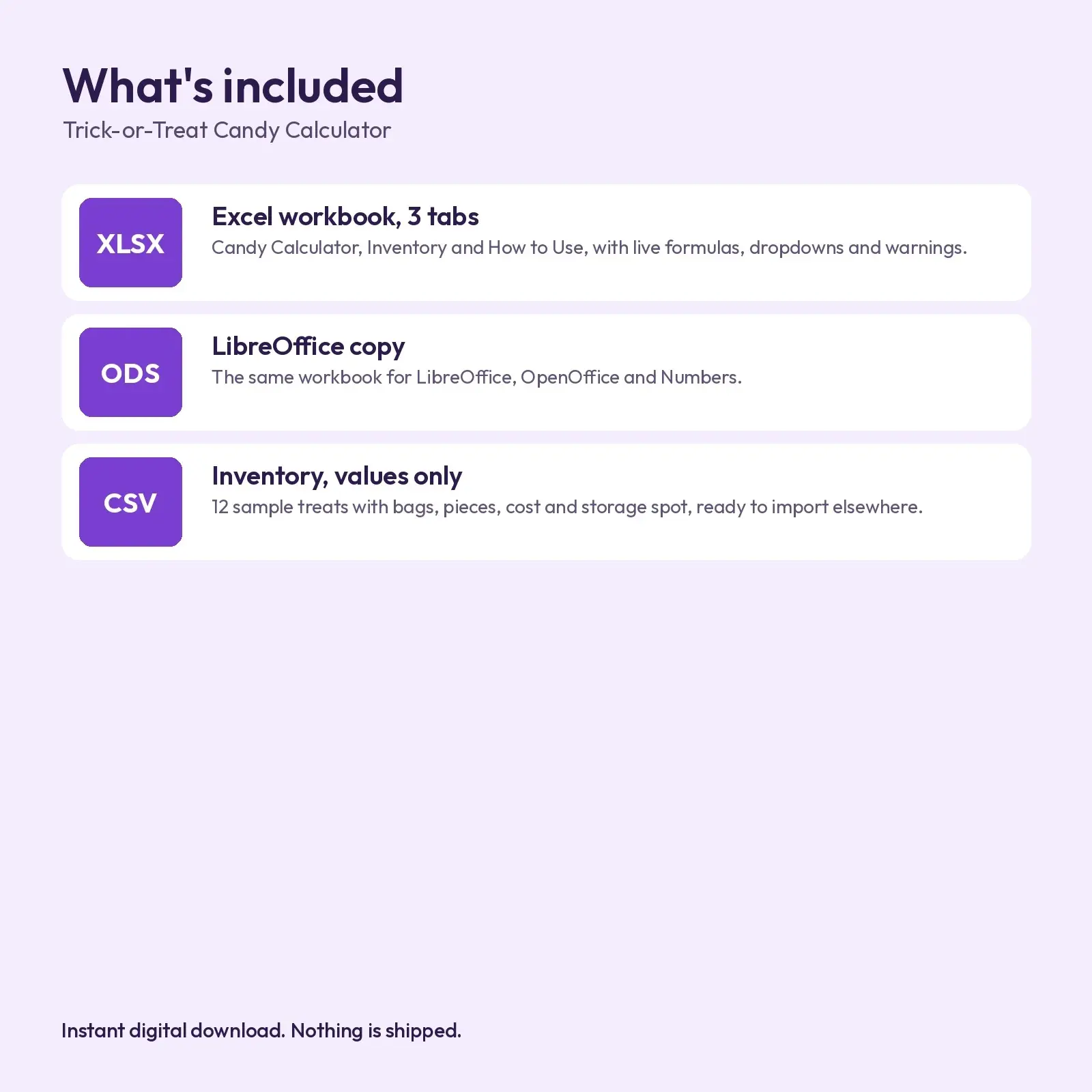
What's included: - 1 XLSX workbook with 3 tabs: Candy Calculator, Inventory (24 rows, 12 filled with sample treats), How to Use - 1 ODS copy of the workbook for LibreOffice and OpenOffice - 1 CSV: the inventory table as plain values
Opens in: - XLSX opens in Microsoft Excel (2016, 2019, 2021, Microsoft 365), Google Sheets (upload and open), LibreOffice Calc and Apple Numbers; formulas recalculate as you type. - ODS opens in LibreOffice Calc, Apache OpenOffice, Google Sheets, Microsoft Excel and Apple Numbers; formulas recalculate as you type. - CSV (comma-separated, UTF-8) imports into Excel, Google Sheets, Numbers, LibreOffice, Airtable, Notion and most databases.
Fonts used: Sniglet, Nunito. They are free from Google Fonts under the SIL Open Font License, including commercial use. Install them before opening for the intended look; without them, a close fallback font is substituted automatically and spacing may differ a little.
How to use: type in the soft yellow cells only. Dropdowns are built in for treat type and allergy notes. No macros, add-ins or external links.
How the math works: pieces needed = trick-or-treaters x pieces per child x (1 + safety cushion), rounded up. Pieces on hand come from the Inventory tab. Short by and spare pieces are the difference, and top-up bags are the shortfall divided by the pieces in one bag, rounded up. The sample inventory and the 160-kid, 3-pieces-each scenario are only there to show the sheet working; replace every yellow cell with your own numbers.
This is an instant digital download. No physical item is shipped. Files are original Educo designs; use depends on the license tier you choose at checkout.
Works with Excel, Google Sheets, LibreOffice, Numbers.
File specs
| Formats | XLSX, ODS, CSV |
|---|---|
| Dimensions | US Letter landscape, 3 sheets |
| Color space | sRGB |
| Downloadable files | 3 downloadable files · XLSX, ODS, CSV formats |
| Category | Templates |
| Last updated |
What you’ll download
- xlsxtrick-or-treat-candy-calculator-inventory.xlsx17 KB
- csvcandy-inventory.csv980 B
- odstrick-or-treat-candy-calculator-inventory.ods15 KB
License and usage
- Personal · $5.00
- Use the files in your own non-commercial projects: home prints, gifts, personal social posts and school work. Anything made with them can’t be sold.
- Commercial · $10.00
- Use the files in client work and in products you sell, up to 5,000 units across all products. Credit is appreciated but not required.
- Extended · $25.00
- Everything in Commercial with no unit cap, including print-on-demand stores.
No license allows reselling, sharing or redistributing the original files as they are, including in free packs or AI training sets.