Witch Cottage Moon October and November 2026 Calendar Wallpapers for Phone, Tablet, Desktop
 By Educo
Price in USD. Local taxes calculated at checkout.
Buy 3 or more, save 20% from this shop
- 3 ZIP downloads · SVG, JPG, WEBP, TXT, ZIP formats · 1290 x 2796 / 2732 x 2048 / 3840 x 2160
- Buyer protection. Corrupt or mismatched files? Full refund.
Item details
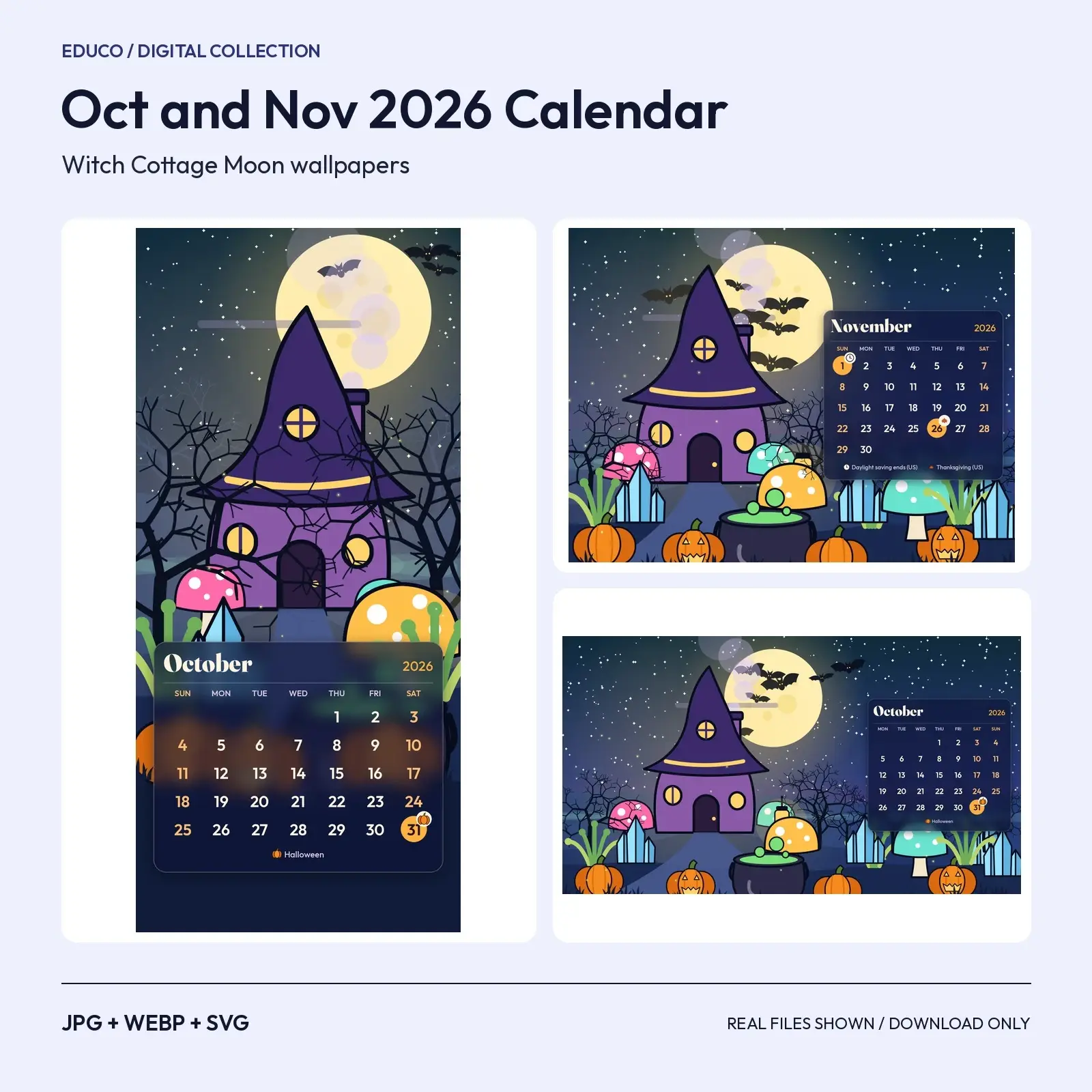
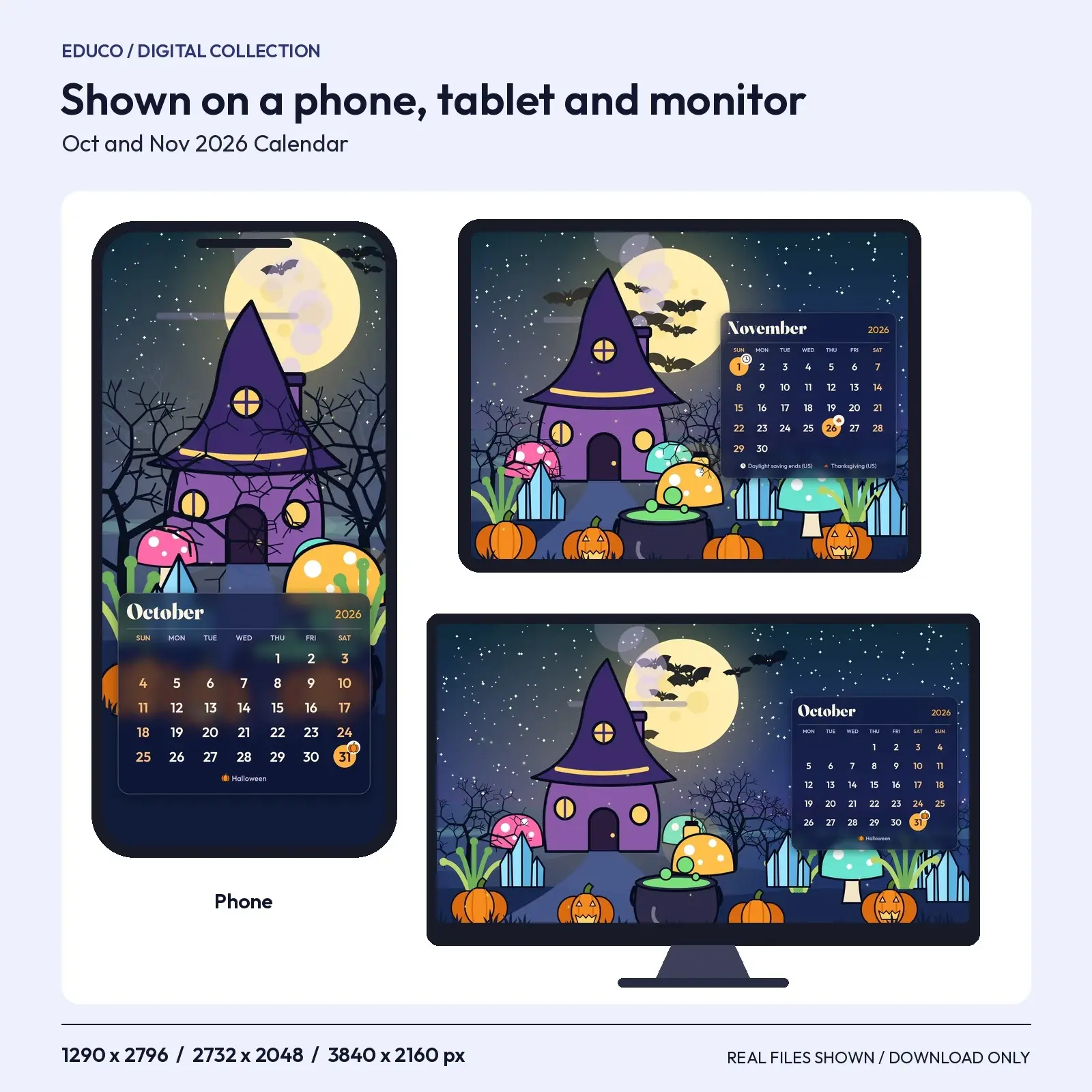
Keep October and November 2026 in sight every time you wake your screen with an illustrated calendar wallpaper. A purple cottage with a tall pointed hat roof glows under a huge moon, with spotted mushrooms by the door, a bubbling cauldron, crystals, herbs and twisty trees along a winding path.
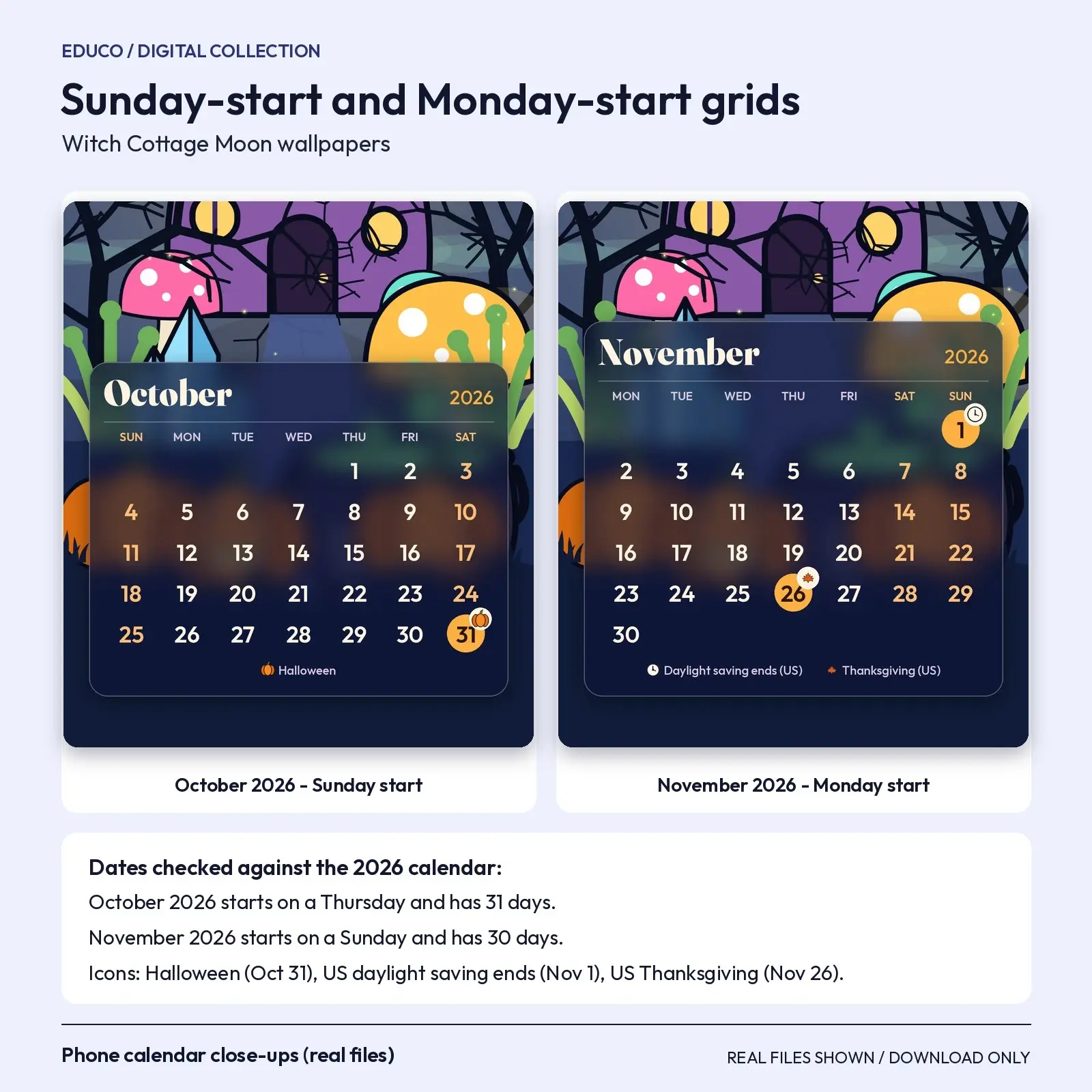
Every date was generated from a calendar library and checked: October 2026 starts on a Thursday and has 31 days, and November 2026 starts on a Sunday and has 30 days. Small icons mark Halloween on October 31, the end of US daylight saving time on Sunday November 1, and US Thanksgiving on Thursday November 26, 2026. Other regional holidays are not marked.
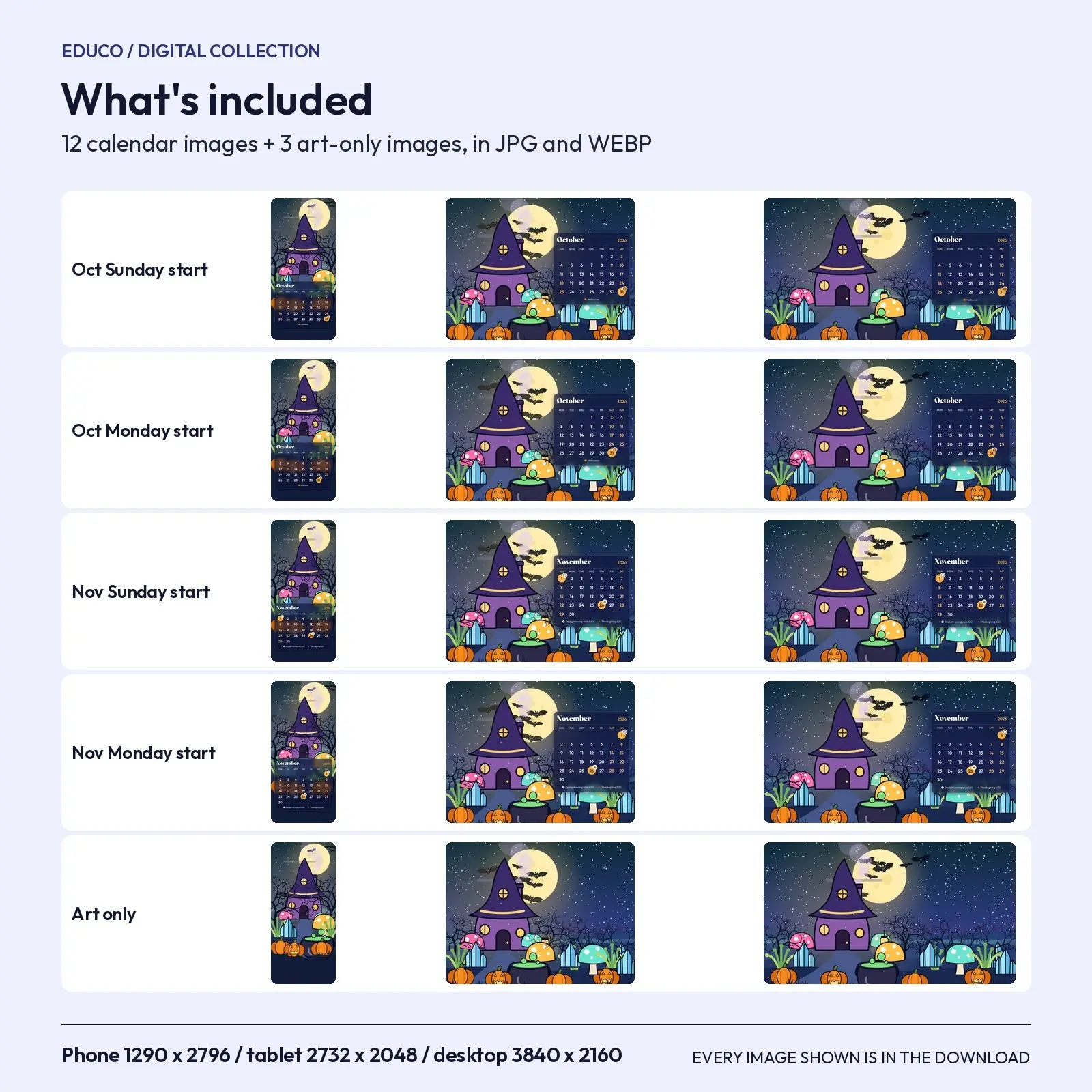
What's included: - 12 calendar wallpapers per format: October 2026 and November 2026, each with a Sunday-start and a Monday-start grid, for phone, tablet and desktop - 3 art-only wallpapers (no calendar) of the same scene for phone, tablet and desktop - JPG version (quality 92), 15 images, in one ZIP - WEBP version (quality 90), the same 15 images, in a second ZIP - 3 editable SVG scene files (art only, no text) in a third ZIP - sizes: phone 1290 x 2796 px, tablet 2732 x 2048 px (landscape), desktop 3840 x 2160 px (16:9) - a README with the file list in every ZIP
The phone layout keeps the top third of the screen open for the clock, with the calendar below. Tablet and desktop layouts move the calendar to the right side of the picture and leave the scene on the left.
Ideas: a witchy lock screen calendar for tracking moon-night rituals; a desktop background for a monthly journal; a tablet wallpaper for a planner app.
Works on any phone, tablet or computer that can use a custom picture as its background. Pick the Sunday-start or Monday-start files to match your region; the calendar is part of the picture, so it does not update itself and is for October and November 2026 only. The SVG scenes open in any vector editor.
This is a digital download. Nothing is shipped; you receive the files to save right after purchase. Personal and commercial use (including products you sell) is allowed; reselling or sharing the files themselves is not.
Works with Any phone, Any tablet, Any desktop, Vector editors (SVG).
File specs
| Formats | SVG, JPG, WEBP, TXT, ZIP |
|---|---|
| Dimensions | 1290 x 2796 / 2732 x 2048 / 3840 x 2160 |
| Color space | sRGB |
| Downloadable files | 3 ZIP downloads · SVG, JPG, WEBP, TXT, ZIP formats |
| Category | Wallpapers |
| Last updated |
What you’ll download
- zipwitch-cottage-moon-2026-calendar-svg.zip125 KB
- zipwitch-cottage-moon-2026-calendar-webp.zip4.6 MB
- zipwitch-cottage-moon-2026-calendar-jpg.zip12 MB
Usage
Educo states how these files may be used in the listing description. Check it before you buy, and message the shop if you’re unsure.
Reselling, sharing or redistributing the original files as they are isn’t allowed, including in free packs or AI training sets.